Settings - Commitments - Commitment Settings - Subcontract Number Format
 Updated
Suggested Prior Reading
Subcontract Number Format
This is the format to apply to the Subcontract Number when the Subcontract number is auto-generated by the system (i.e. it is left blank on the add).
The Subcontract Number Format can have different elements that are both static and auto-generated (see Settings - Commitments - Commitment Settings - Number Format for more information).
This option is only available if Subcontracts are enabled in the system, see Settings - Commitments - Commitment Settings - Enable Purchase Orders/Subcontracts (if they are not enabled, this option does not display).
To Change the Subcontract Number Format
- Navigate to Settings for Commitments, see Settings - Commitments.
- Locate the Subcontract Number Format
 .
. - Click the Edit
 button.
The Number Format form displays.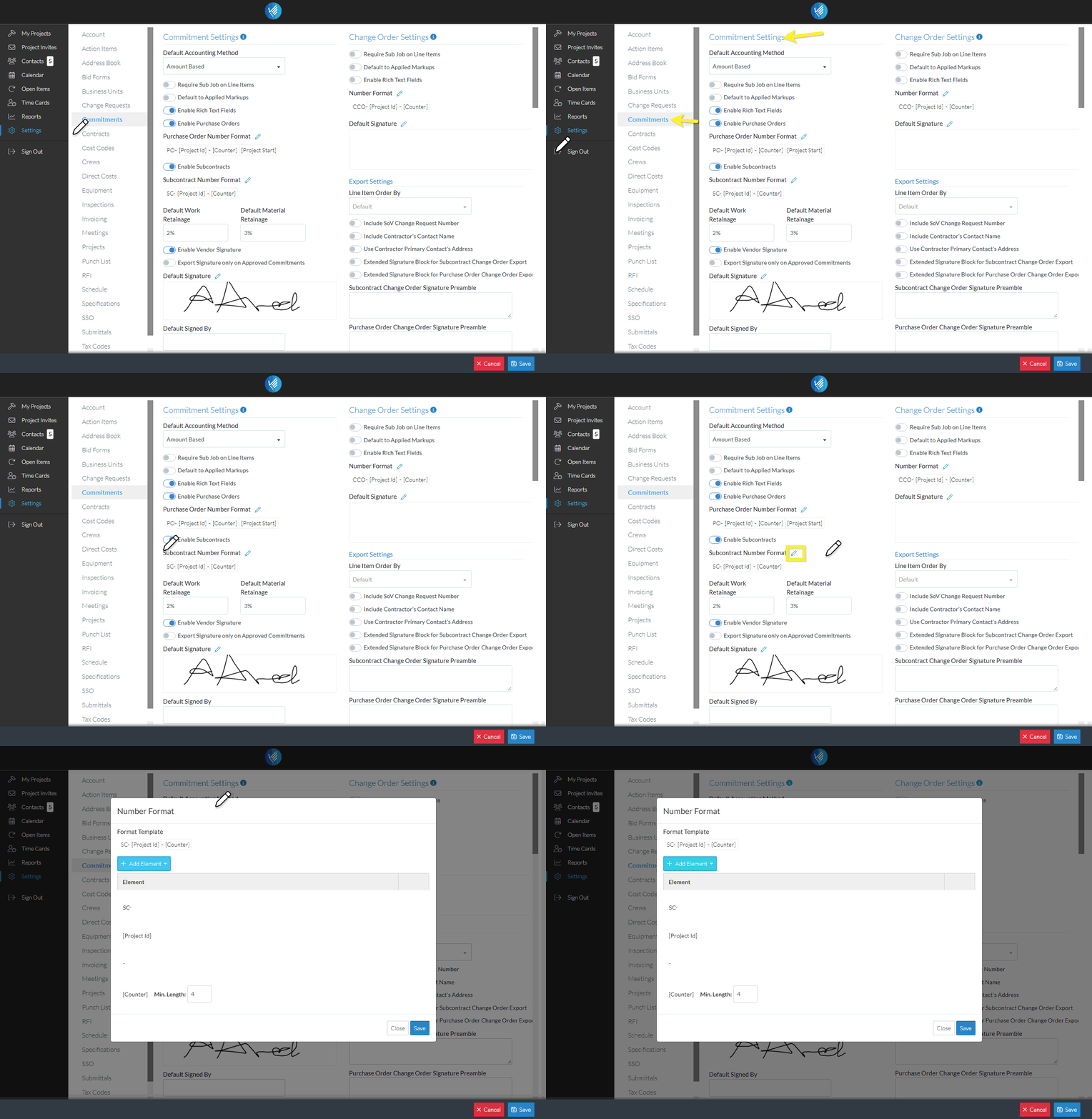
Next Steps
Settings - Commitments - Commitment Settings - Number Format
