Change Request - Schedule of Values - Line Item - Commitment - Display
 Updated
Suggested Prior Reading
Change Request - Schedule of Values - Line Item - Commitment
Display of Commitment
The following outlines how the Commitment may display on the Change Request Schedule of Values when the Line Item has been created on or associated with a Change Request.
The display depends on various factors:
- The Status of the Change Request
- Whether the Line Item on the Change Request Schedule of Values has been created as a Line Item on a Commitment or Commitment Change Order Schedule of Values.
- Whether the Line Item on the Change Request Schedule of Values has been associated with a Commitment or Commitment Change Order (but has not been created as a Line Item on its Schedule of Values).
Status is not Approved, Rejected or Void AND the Line Item is associated with a Commitment or Commitment Change Order but Line Item does not exist on a Commitment or Commitment Change Order
A Commitment number is entered in the field, but the field is still a drop down and editable. This means:
- The Change Request Status is not Approved, Rejected or Void
- The Change Request Line Item is associated to that Commitment or Commitment Change Order, but the Line Item does not exist as a Line Item on the Commitment or Commitment Change Order

Status is not Approved, Rejected or Void AND the Line Item does exist on a Commitment or Commitment Change Order
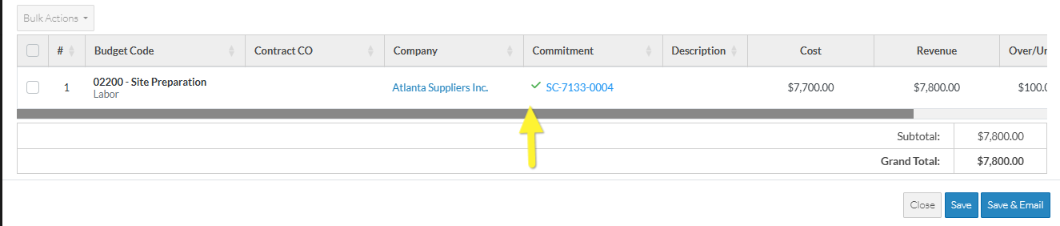
A Commitment number is entered in the field but the field is not editable (i.e. there is no drop down) however the other columns on the Schedule of Values are still editable. There is a  green check mark to the left of the Commitment and the Commitment is in blue text. This means:
- The Change Request Status is not Approved, Rejected or Void
- This Change Request Line Item has been added as a Line Item on a Commitment or Commitment Change Order

Status is Approved, Rejected or Void
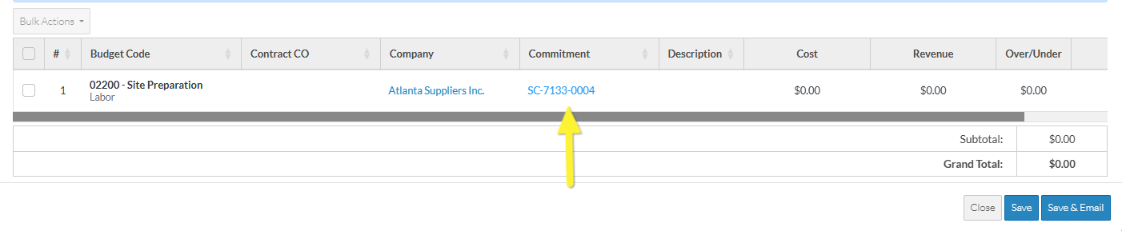
Once the Status is Approved, Rejected or set to Void, the Schedule of Values can no longer be changed. That means the Commitment regardless of whether its created on a Change Request Schedule of Values or associated with a Change Request, will no longer be a drop down but is display text only.
The following is an example, where there is an association only:
The following is an example of the Line being being created on a Commitment or Commitment Change Order:
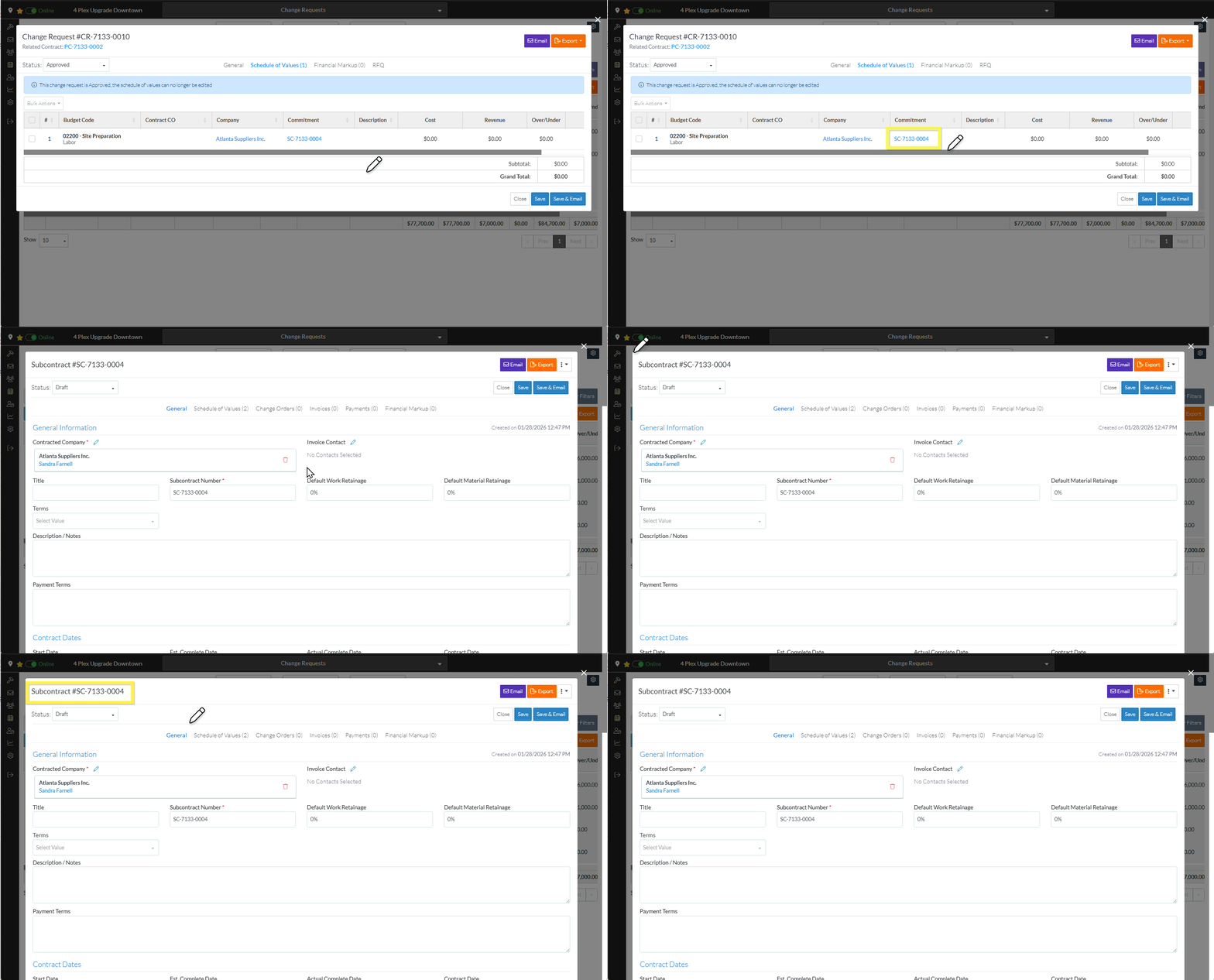
The Commitment or Commitment Change Order is displayed in blue text and it can be clicked on to go to the Subcontract - View/Edit form, the Subcontract Change Order - View/Edit form, the Purchase Order View/Edit form or the Purchase Order Change Order - View/Edit form (depending on which Commitment type it is).
Next Steps
Change Request - Schedule of Values - Line Item - Commitment
