All Change Requests Lists - Settings - Rows per Page (Grouped List View)
 Updated
Suggested Prior Reading
Change Requests List - Accessing (Grouped List View)
Change Requests List - Settings (Grouped List View)
OR
Contracts - List of all Change Requests - Accessing (Grouped List View)
Contract - List of all Change Requests - Settings (Grouped List View)
Set the Default for the number of Rows per page to display
The Change Requests List and the Contracts - List of all Change Requests can have the default number of rows per page to display.
This is the default number of rows displayed each time the list is opened.
Note* The number of rows per page can also be changed dynamically on the lists. This is a temporary change for that session only and won’t be saved for the next time the form is opened. See Change Requests List - Layout and Navigation (Grouped List View) OR Contracts - List of all Change Requests - Layout and Navigation (Grouped List View).
- If required, access the Related Settings
 for either list (see Suggested Prior Reading above).
The Change Request Settings form displays.
View Settings is where the number of Rows per Page default is set. - Click in the Rows per Page drop down and select the number to display or select All.
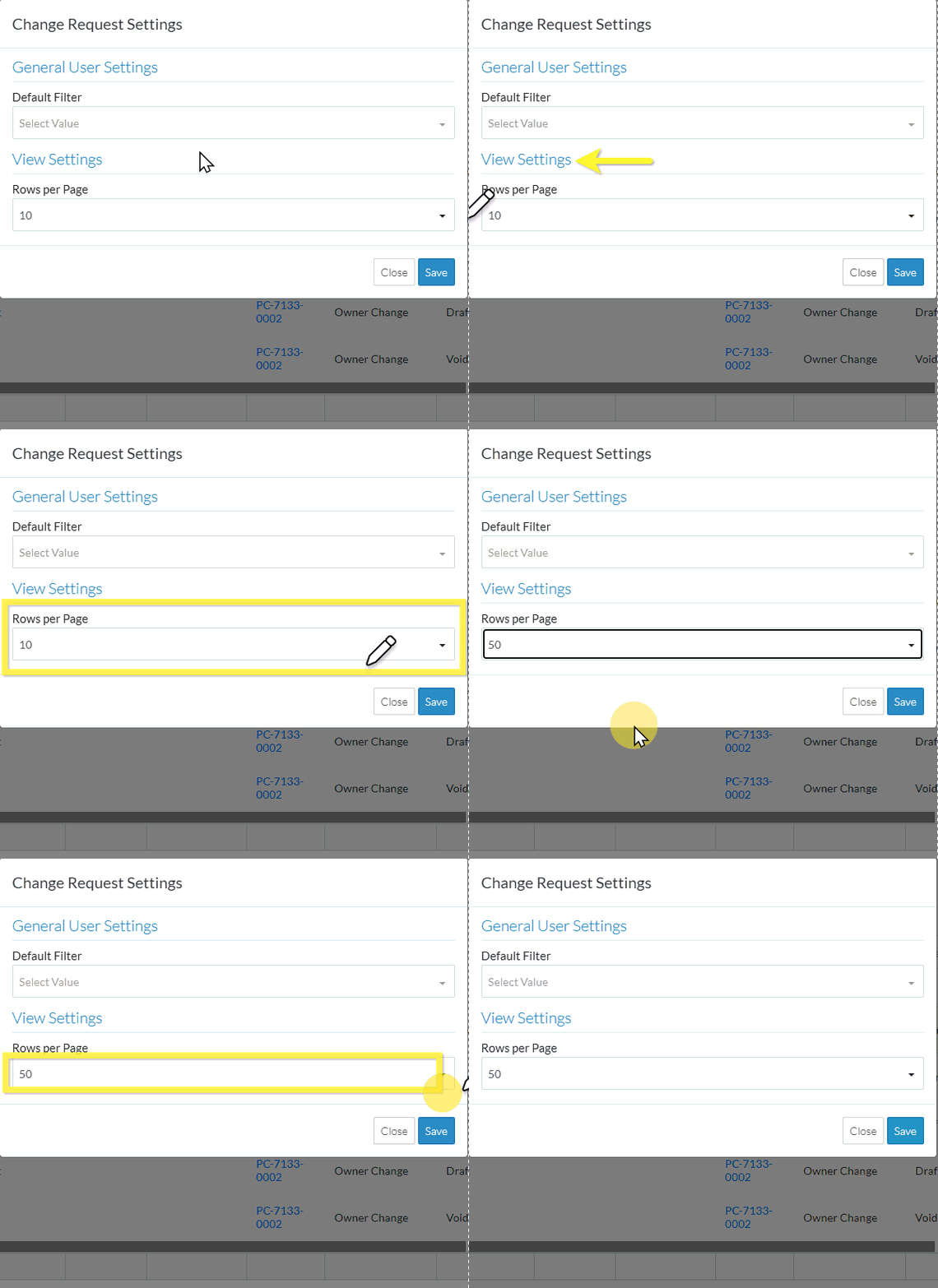
- To change the Default Filter, see All Change Requests Lists - Settings - Default Filter (Grouped List View).
- Click the Save
 button at the bottom right of the form to save the changes.
OR
Click the Close button at the bottom right of the form to exit the form without saving the changes.
Next Steps
Change Requests List - Settings (Grouped List View)
OR
Contract - List of all Change Requests - Settings (Grouped List View)
