Contracts - List of all Change Requests - Accessing (Grouped List View)
 Updated
Suggested Prior Reading
Change Requests - Multiple Lists and Views
Contracts - List of all Change Requests - Overview (Grouped List View)
To access the list of all Change Requests for all Contracts for the Project
This is help for accessing the Contract - List of All Change Requests (by clicking on the Contracts option on the Project Navigation Menu Options and clicking Change Requests from the form navigation menu).
Note* There are multiple ways to access Change Requests and multiple views that can display, see Change Requests - Multiple Lists and Views for more information. This help is for the Grouped List View.
- Access the project, see Project - Accessing.
- Access the Contracts List from the Project Menu Bar, see Contracts List - Accessing.
Note* Depending on the size of the form and permissions for the user, the Project Menu Options bar may appear different.
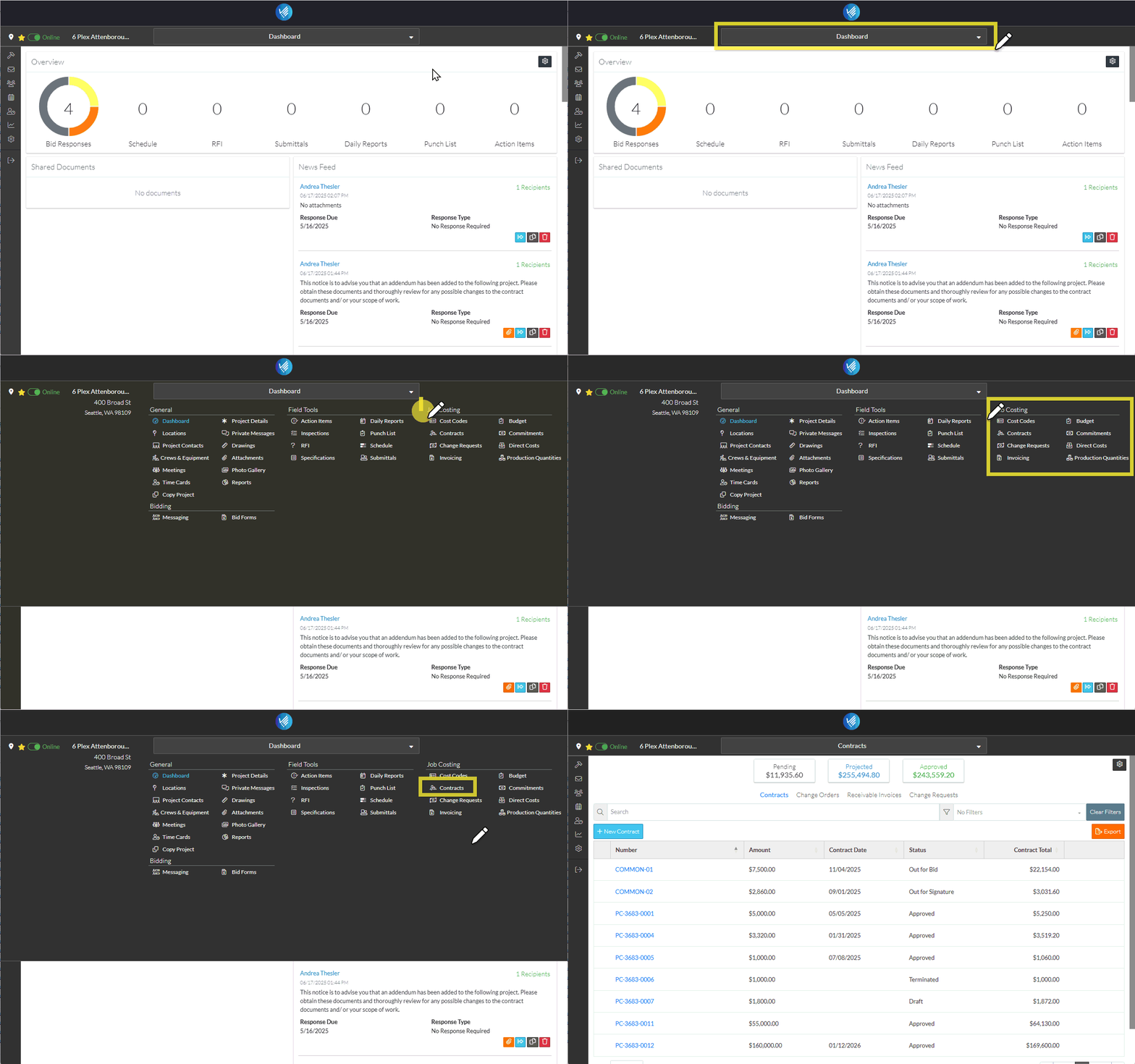
The Contracts List displays. See Contracts List – Layout and Navigation for more information.
- From the Contracts List, click Change Requests in the List Navigation Menu.
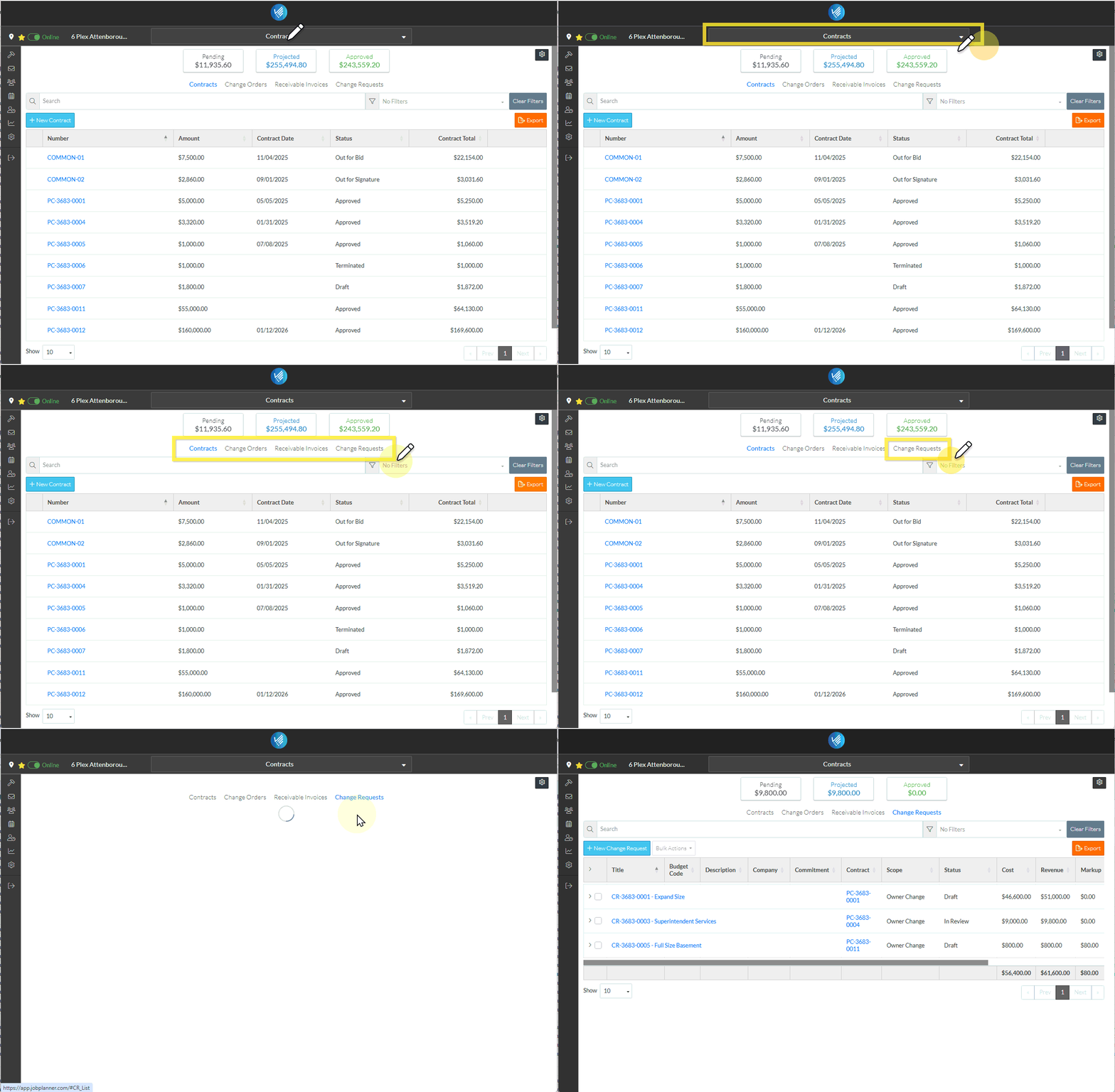
The Contracts - List of All Change Requests displays.
More Information
For more information on the Change Requests - Simple view, see Contracts - List of All Change Requests - Layout and Navigation (Grouped List View).
Next Steps
Add a new Change Request, see Contracts - List of All Change Requests - New Change Request (Grouped List View).
View or edit an existing Change Request including maintaining the Schedule of Values and Financial Markups, see Contracts - List of All Change Requests - Change Request - View/Edit (Grouped List View).
Select Change Request Line Items and create them automatically on Contract Change Orders, Commitments or Commitment Change Orders, see Contracts - List of all Change Requests - Bulk Actions.
View and maintain RFQs, see RFQs - Overview.
Delete a Change Request, see Contracts - List of All Change Requests - Change Request - Delete (Grouped List View).
Email a Change Request, see Contracts - List of All Change Requests - Email (Grouped List View).
Export a Change Request, see Contracts - List of All Change Requests - Export (Grouped List View).
Export the full list of all the Change Requests, see Change Requests Lists - Export (Grouped List View).
Change the Settings for the display of the list of Change Requests, see Contract - List of all Change Requests - Settings (Grouped List View).
