Change Request - Schedule of Values - Accounting Method
 Updated
Suggested Prior Reading
Change Request - Schedule of Values - Overview
Change Request - Schedule of Values – Create - Layout and Navigation
OR
Change Request - Schedule of Values – Maintain - Layout and Navigation
Change Request - Schedule of Values - Create During Add
OR
Change Request - Schedule of Values - Create During Edit
Accounting Method
The Accounting Method on the Schedule of Values determines how amounts are entered and calculated for the Cost on each Line Item.
The two options for the Accounting Method are:
- Amount Based - Entering a single dollar amount for the Cost
- Unit-Qty Based – Entering the Quantity, Unit and Unit Price for both the Cost and then the Cost is automatically calculated by multiplying the Quantity x the Unit Price.
The Accounting Method for the Schedule of Values should be determined before adding the first line item. Once the first line item is added, the Accounting Method can not be changed.
The Accounting Method applies to all Line Items on the entire Schedule of Values.
The Accounting Method defaults to the Accounting Method set for the Contract that the Change Request is being created for, but can be changed.
Note* To change the Accounting Method, the Change Request must be in a Status that enables editing of the Schedule of Values, see Change Request - Status.
For help on how the Line Item is used when creating the Line Item on a Contract Change Order or Commitment/Commitment Change Order, see Assign Change Request Line Items to Contracts and Commitments - Cost and Revenue.
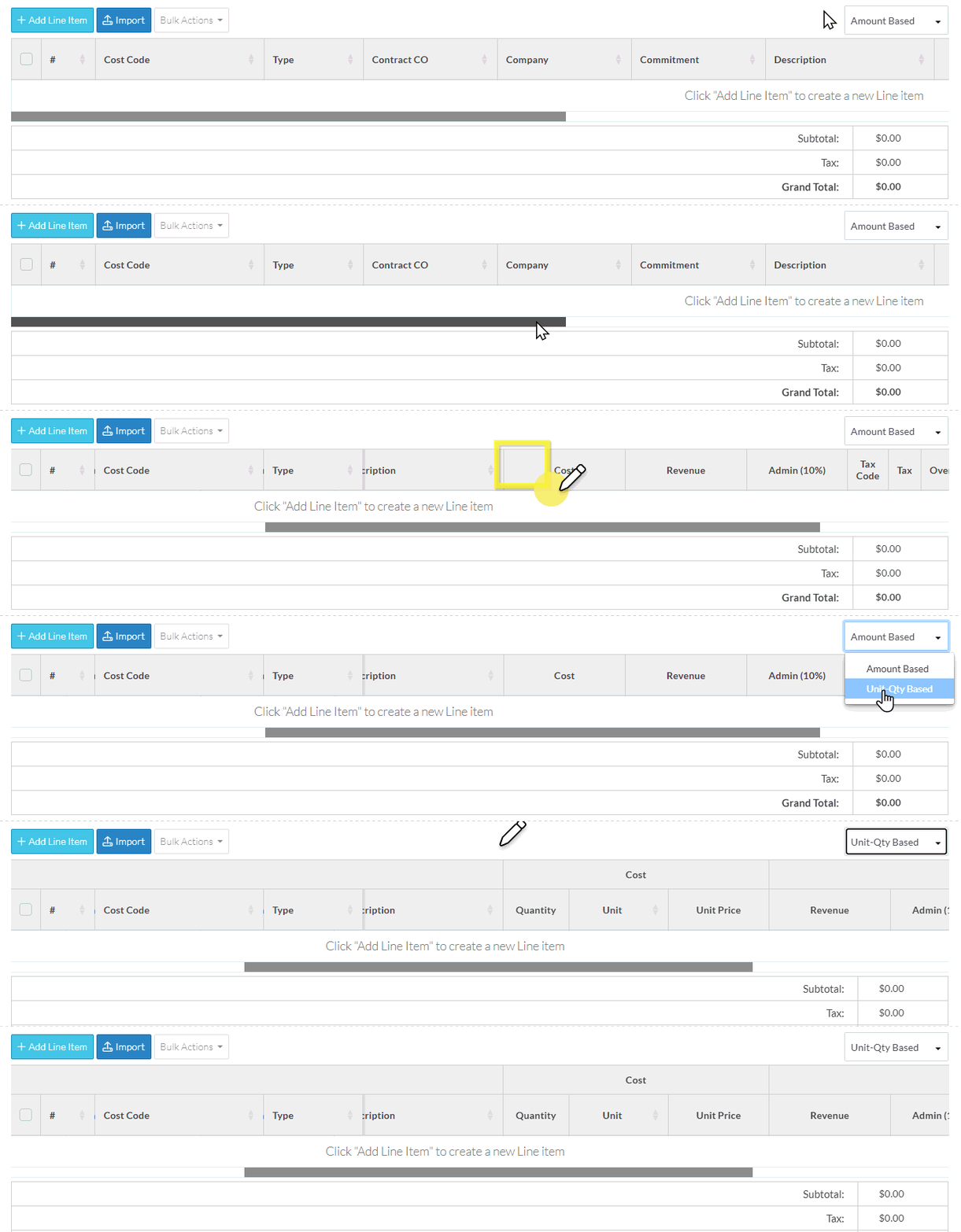
To change the Accounting Method
The Accounting Method is changed on the Change Request - Schedule of Values form.
The Accounting Method can only be changed if there are no Line Items added. It can not be changed after Line Items have been added.
- Initiate the Change Request Schedule of Values creation, see:
Change Request - Schedule of Values - Create During Add
OR
Change Request - Schedule of Values - Create During Edit - Click in the Accounting Method drop down, see Change Request - Schedule of Values – Create - Layout and Navigation for more information.
- Choose the Accounting Method to apply.
The form will change to display the information for that Accounting Method.
Next Steps
Add a Schedule of Values Line Item, see Change Request - Schedule of Values - Add Line Item.
Bulk Import Schedule of Values Line Items, see Change Request - Schedule of Values - Import.
