Purchase Order – View/Maintain - Form Layout - Additional Examples
 Updated
Suggested Prior Reading
Purchase Order – View/Maintain - Form Layout
Additional Examples
The following are examples of the entire Purchase Order - View/Maintain for Users with different permissions to Commitments. These are examples only, each Organization/User may have a different display of the form depending on the permissions, status and settings (as described in Purchase Order – View/Maintain - Form Layout).
The top section and the bottom section are the same for all components and don't change when the component in the middle is changed.
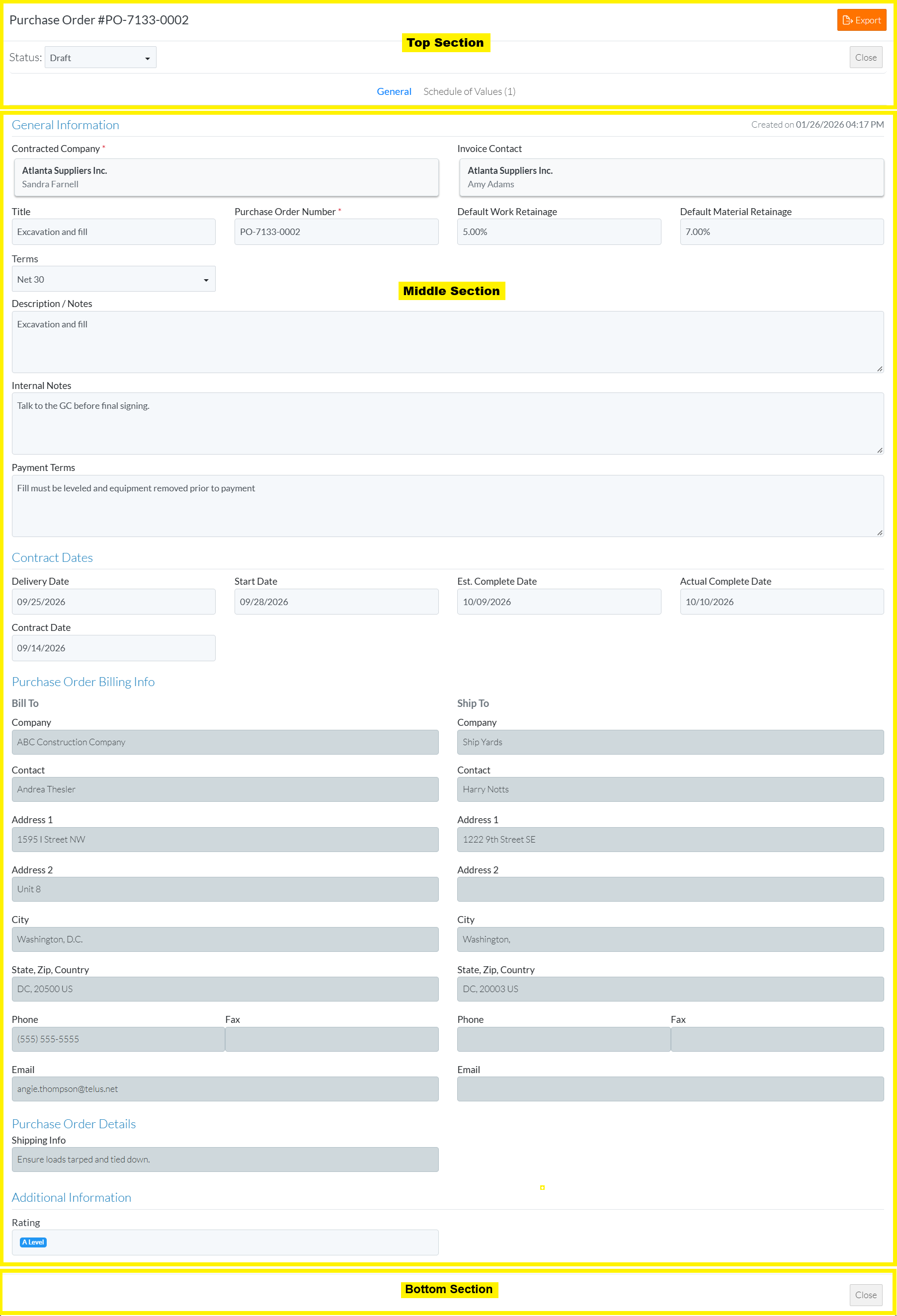
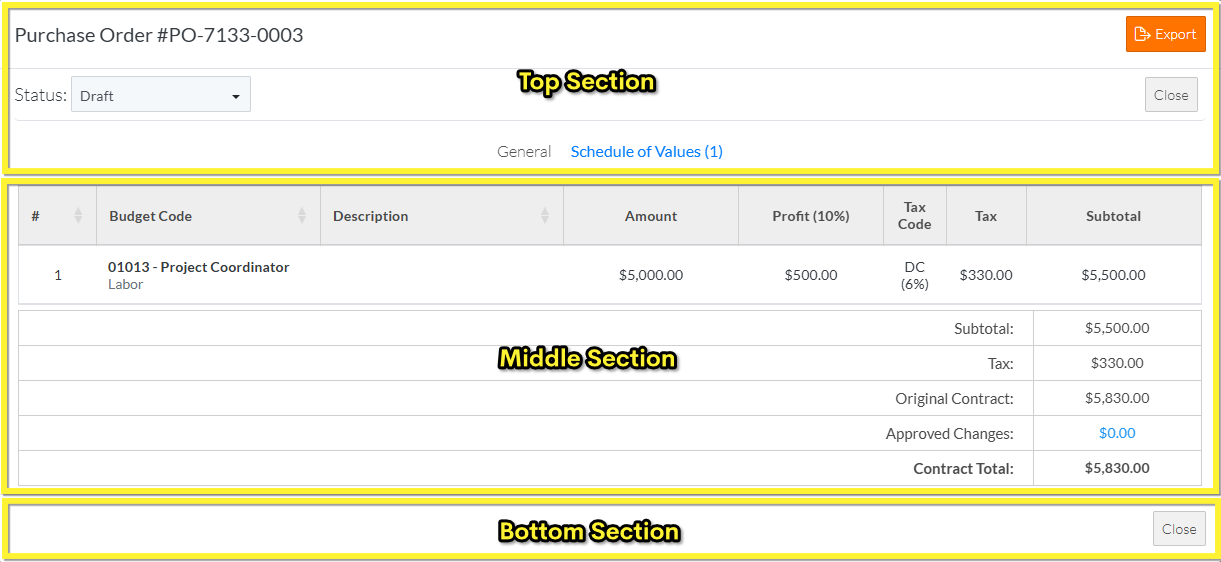
View Only Permissions
The following are examples of the entire Purchase Order - View/Maintain for Users with:
- View Only permissions to Commitments
- No Permissions to Commitment Change Orders
- No Permissions to Payables Invoices
Click here for the General Component
Click here for the Schedule of Values Component
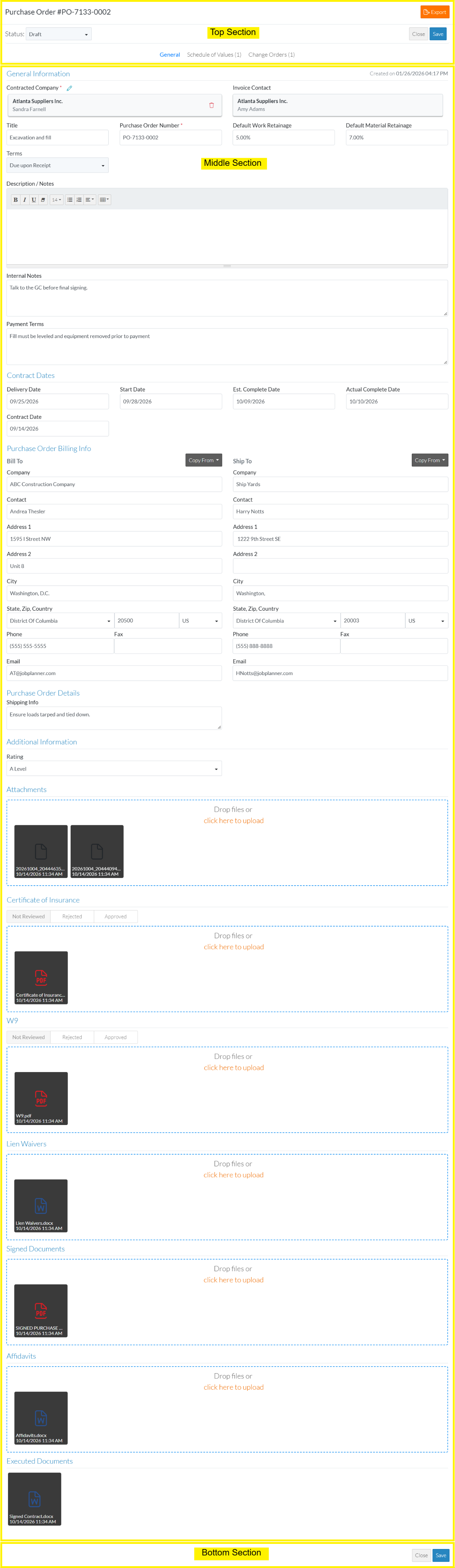
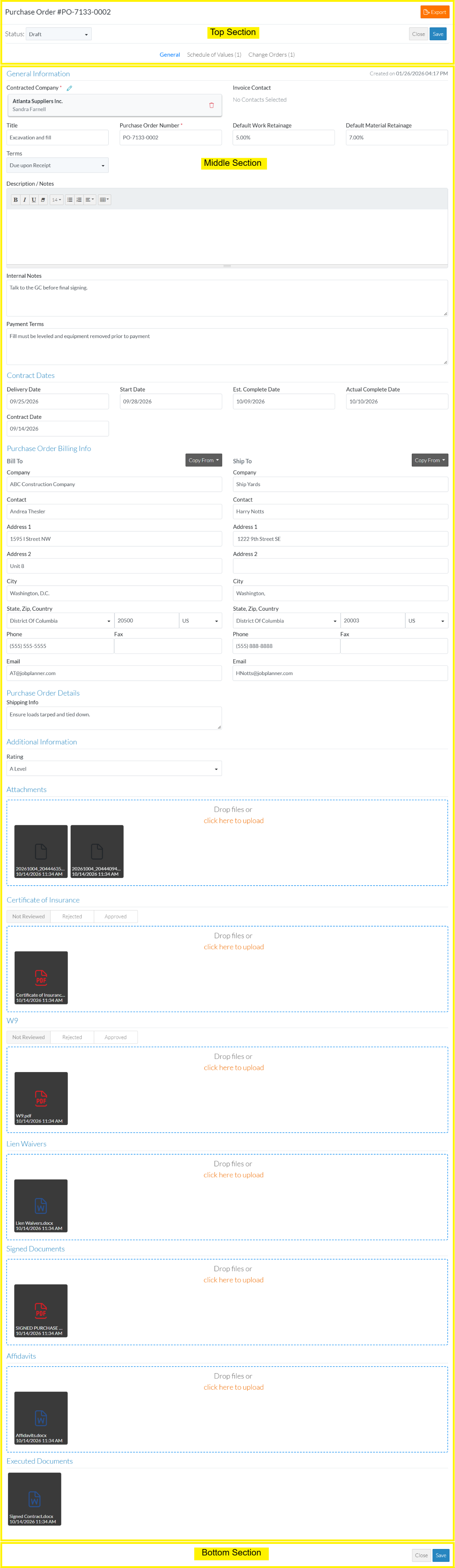
Edit or Edit SOV Permissions
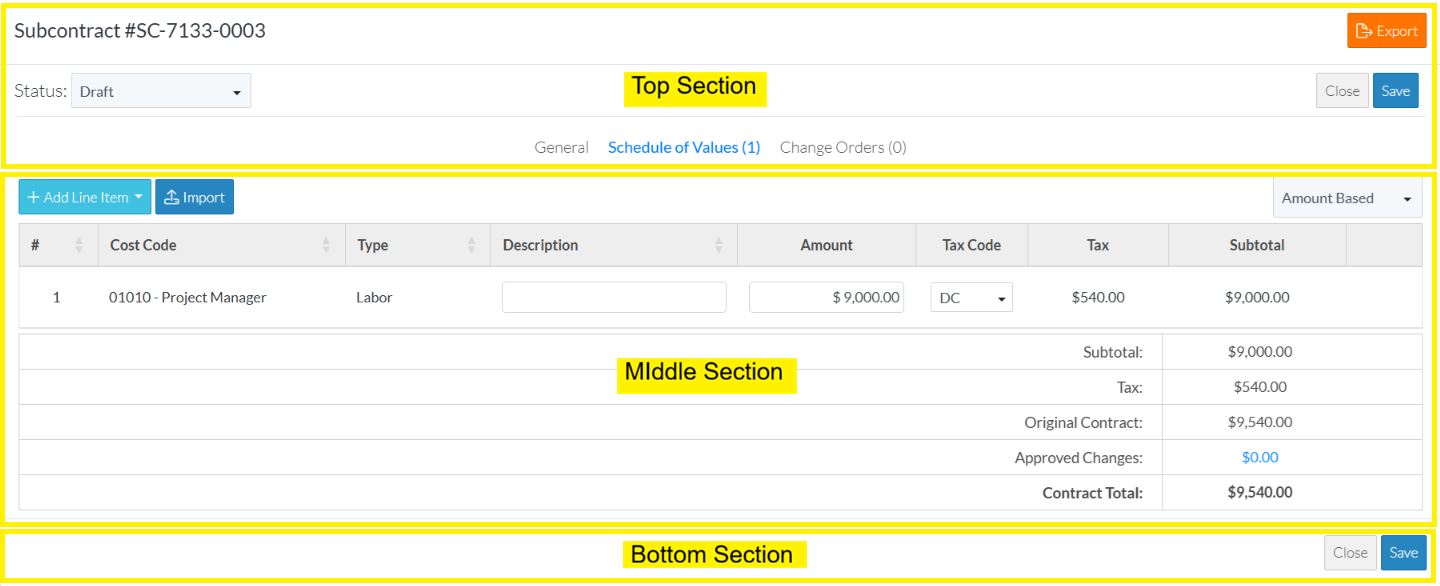
The following are examples of the entire Subcontract - View/Maintain for Users with:
- Edit and Edit SOV permissions to Commitments
- At least View Permissions to Commitment Change Orders
- No Permissions to Payables Invoices
- Rich Text format is set for entering Description/Notes
Click here for the General Component
Click here for the General Component
Click here for the Schedule of Values Component
Admin Permissions
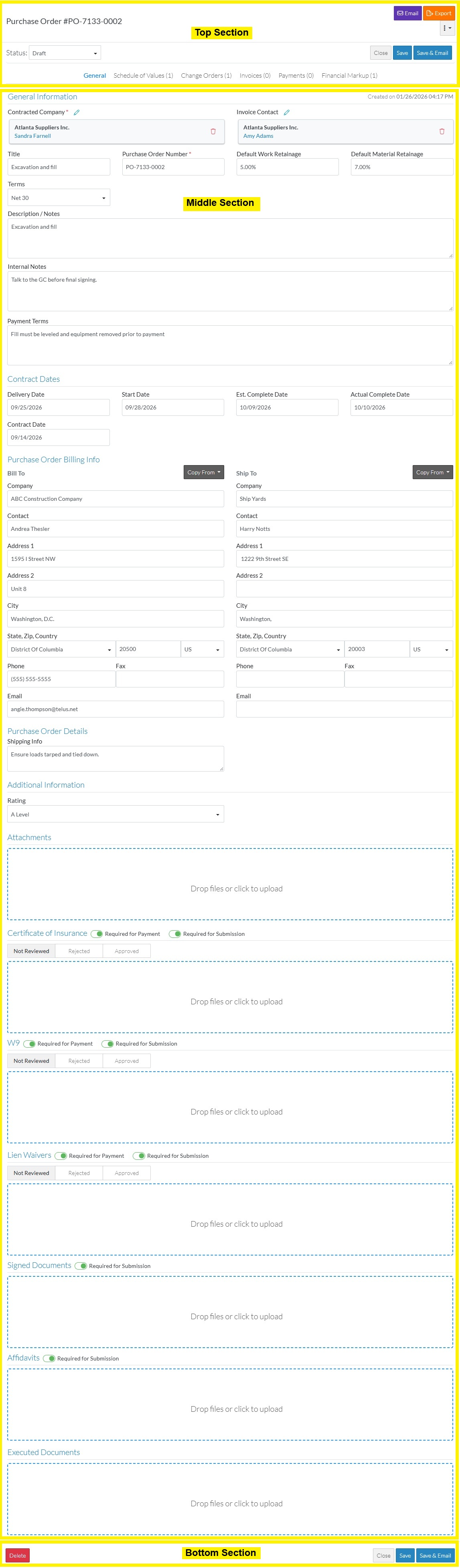
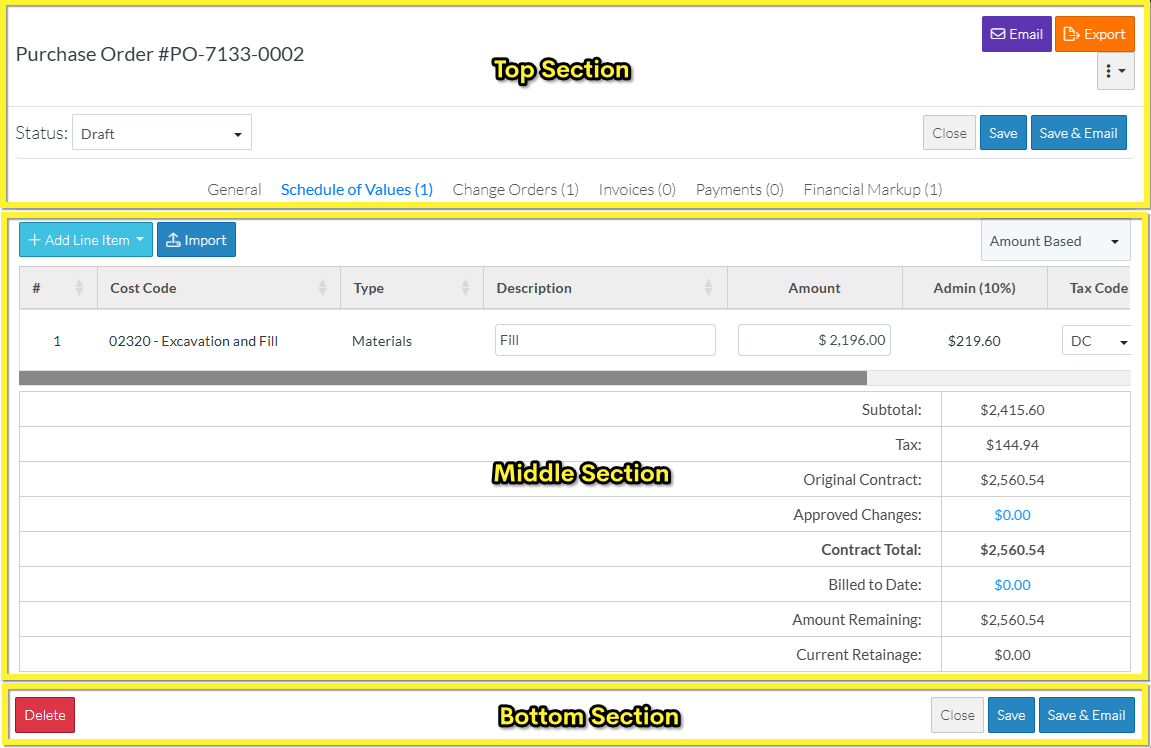
The following are examples of the entire Subcontract - View/Maintain for Users with:
- Admin permissions to Commitments
- At least View Permissions to Commitment Change Orders
- At least View Permissions to Payables Invoices
- Subcontract is in a Status the enables deleting
- Plain Text format is set for entering Description/Notes
Click here for the General Component
Click here for the General Component
More Information
For more information on permissions settings for Commitments, Commitment Change Orders and Payable Invoices, see User Types - Company - Permissions - Project Features - Finances - Commitments.
For more information on the Rich Text Features for Description/Notes, Inclusions and Exclusions, see Settings - Commitments - Commitment Settings - Enable Rich Text Fields.
For more information on Purchase Order Status, see Purchase Order - Status.
