Settings - Change Requests - Change Request Settings - Enable Grouped List View
 Updated
Suggested Prior Reading
Settings - Change Requests - Change Request Settings
Enable Grouped List View
This option can be toggled on or off to change the way the Change Requests List displays.
This applies to both the:
- Contracts - List of Change Requests (accessed from Contracts on the dashboard).
- Change Requests List (accessed from Change Requests on the dashboard).
Regardless of where it is accessed, the same Change Requests list displays and the format of how the list displays is controlled by this setting.
This setting can be changed at any time. There are no limitations on changing this setting.
To see examples of the different views, see Change Requests List - Views.
To toggle the option between views:
- Access the Settings for Change Requests, see Settings - Change Requests.
- In the Change Request Settings, there will be an Enable Grouped List View option.
If it is turned off (which it is by default), it displays as light gray and to the left 
If it is turned on, it displays as blue and to the right  .
.
- Click on the Enable Grouped List View slider bar bar or text to toggle it on or off
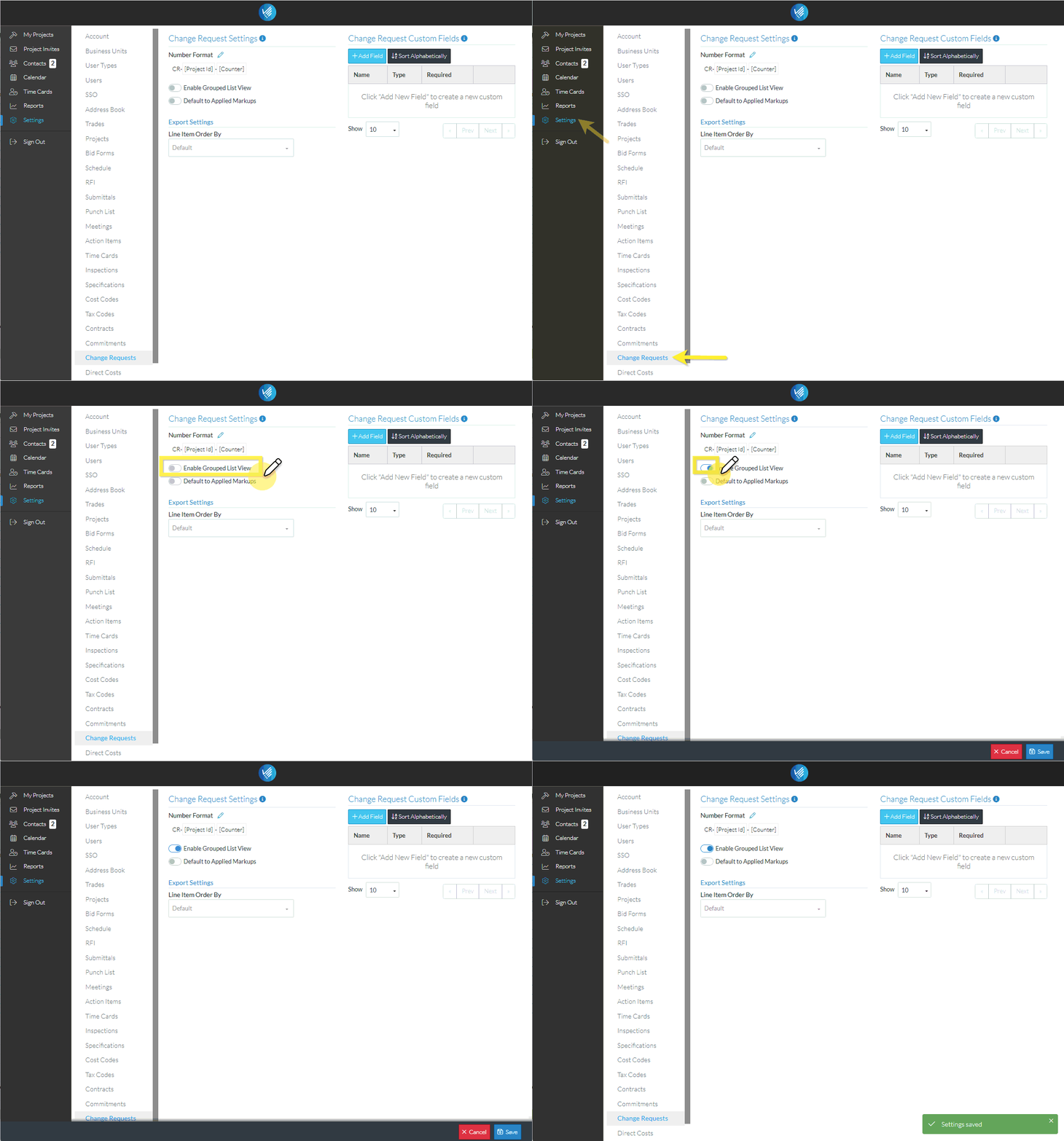
When a setting is changed on the form, the Cancel and Save buttons appear in the lower right hand corner.
- Click the Save
 button to save the setting change. A message appears indicating the information was saved.
OR
Click the Cancel button to cancel the changes.
Next Steps
For more information on the other Change Request settings that can be changed, see Settings - Change Requests.
For more information on Change Requests, see Change Requests - Overview.
