Contract - List of all Change Requests - Settings (Simple List View)
 Updated
Suggested Prior Reading
Contracts - List of all Change Requests - Overview (Simple List View)
Contracts - List of all Change Requests - Accessing (Simple List View)
Contracts - List of all Change Requests - Layout and Navigation (Simple List View)
Settings
This help pertains to the Contracts - List of all Change Requests in the Simple List View. Note* There are multiple ways to access Change Requests and multiple views that can display, see Change Requests - Multiple Lists and Views for more information and the view set for the organization.
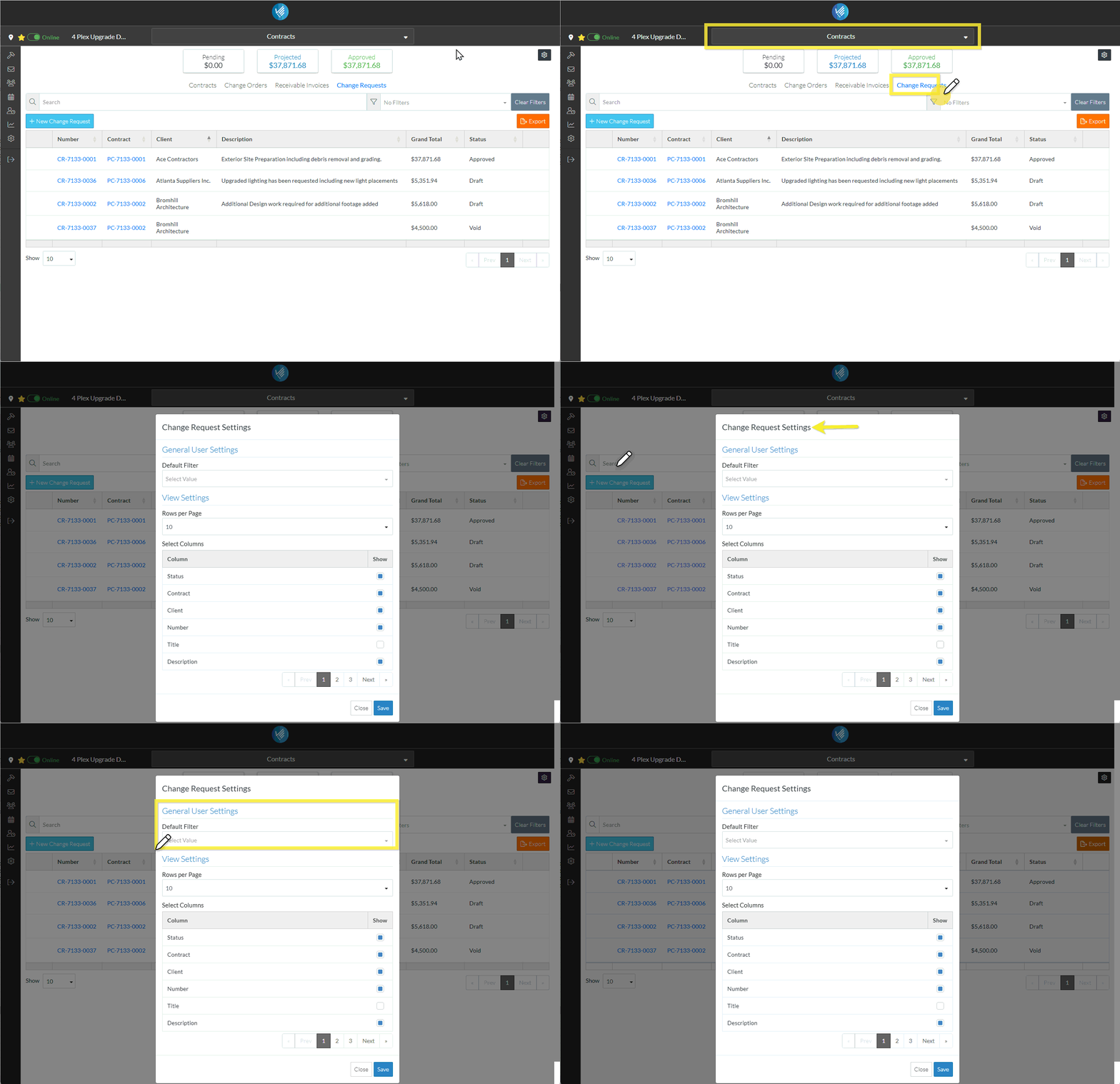
Each time the Contracts - List of all Change Requests is displayed, user defined settings can be applied to show what information displays and how.
Changing the list settings is permanent and those settings are automatically applied every time the form opens.
The settings that can be changed are the:
- Default Filter to apply – to show only Change Requests with a certain Status
- Rows per page - the number of rows (i.e. number of Change Requests) which will display per page
- The columns of information which display
The Default Filter to Apply and the Rows per Page can also be dynamically changed on the form itself to navigate the form while its opened although those are temporary changes applied to this session and won’t be saved when the form is closed and re-opened). Note* Columns can not be changed dynamically. They are only changed through the Change Request List - Settings.
To Access Related Settings
- From the list of all Contract Change Orders, (see Contracts - List of all Change Requests - Accessing (Simple List View)), click on the Related Settings
 button. (For more information, see Contracts - List of all Change Requests - Layout and Navigation (Simple List View)).
 - The Change Request Settings form displays. There are two sections on the form:
- General User Settings
- User View Settings
Next Steps
To set the Default Filter, see All Change Requests Lists - Settings - Default Filter (Simple List View).
To change the default number of rows to display, see All Change Requests Lists - Settings - Rows per Page (Simple List View).
To set the columns which display, see All Change Requests Lists - Settings - Turn On/Off Columns (Simple List View).
