Change Request Specific RFQs - Accessing
 Updated
Suggested Prior Reading
Change Request Specific RFQs - Overview
Click here for Grouped List View
OR
Click here for Simple List View
Change Request Specific RFQs - Accessing
This help pertains to accessing the RFQs component on the Change Request - View/Edit form.
This form can be invoked from the Change Requests List OR the Contracts - List of all Change Requests and there are also different views that can be set for All Change Requests Lists. See All Change Requests Lists - Views Examples to determine which view is set for the organization, then see the above Suggested Prior Reading for the applicable view and list.
To add/edit or delete Line Items
- Initiate the edit of the Change Request (if not already done), see the above Suggested Prior Reading for the view applicable.
The Change Request View/Edit form displays (see Change Request – View/Edit - Form Layout and Navigation for more information if required). - Click on the RFQ on the Form Navigation Menu Options on the Change Request - View/Edit form.
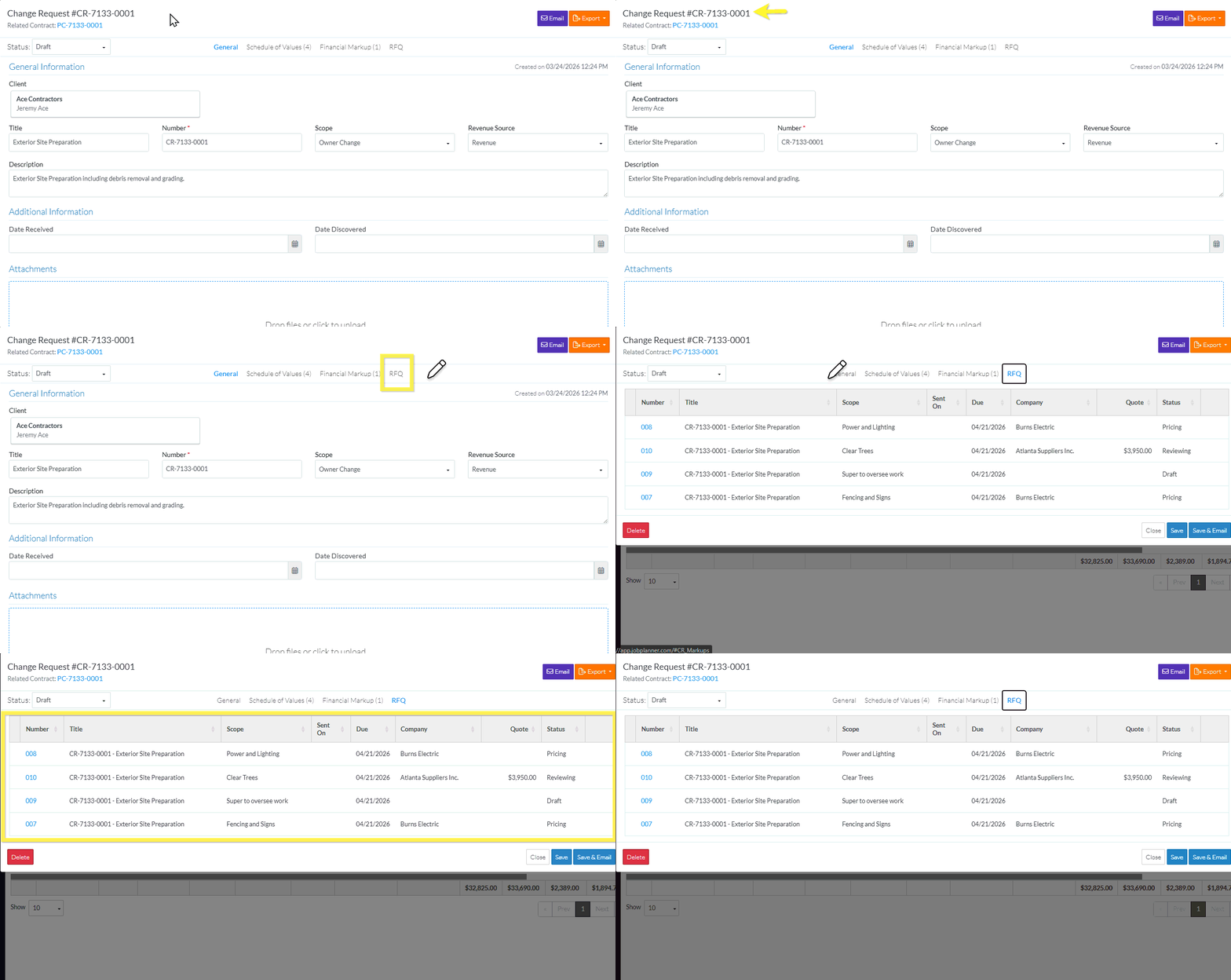
The RFQ component for the Change Request displays showing the RFQs for this Change Request. See Change Request Specific RFQs - Layout and Navigation for more information if required.
Next Steps
Sort the columns on the RFQ List if required, see Change Request Specific RFQs - Sort Columns.
View an RFQ (to then edit it, update the status, submit a response or send to Vendors or Subcontractors), see Change Request Specific RFQs - View/Edit.
Delete an RFQ, see Change Request Specific RFQs - Delete.
