RFQ - View/Edit - Update Revised Response
 Updated
Suggested Prior Reading
Change Request Specific RFQs - View/Edit
OR
Change Requests - List of all RFQs - View/Edit
RFQ - View/Edit - Revise Status
Manually Update the Revised Response
This is help for manually updating a revised response to a quote. This could be a Response that was submitted previously (either by the Subcontractor/Vendor or was manually entered by the Project Manager/Estimator).
Note* This is used for more of an informal update of a response i.e. there are minor corrections. For more formal changes, revise the RFQ, see RFQ - View/Edit - Revise Response for more information on the more formal revision process.
To view Responses submitted directly by a Subcontractor/Vendor, see RFQ - View/Edit - Receive Response from Subcontractor/Vendor.
To manually update the revised Quote submitted
- View or Edit the RFQ, see the following for the appropriate list the view/edit is being invoked from:
Change Request Specific RFQs - View/Edit
OR
Change Requests - List of all RFQs - View/Edit
The RFQ - View/Edit form displays. See RFQ - View/Edit - Layout and Navigation - Revise Status.
Invoke the Update Response option.
There are two options for this:
- At the top of the form, in the Messages Line, click the Revise Response blue text
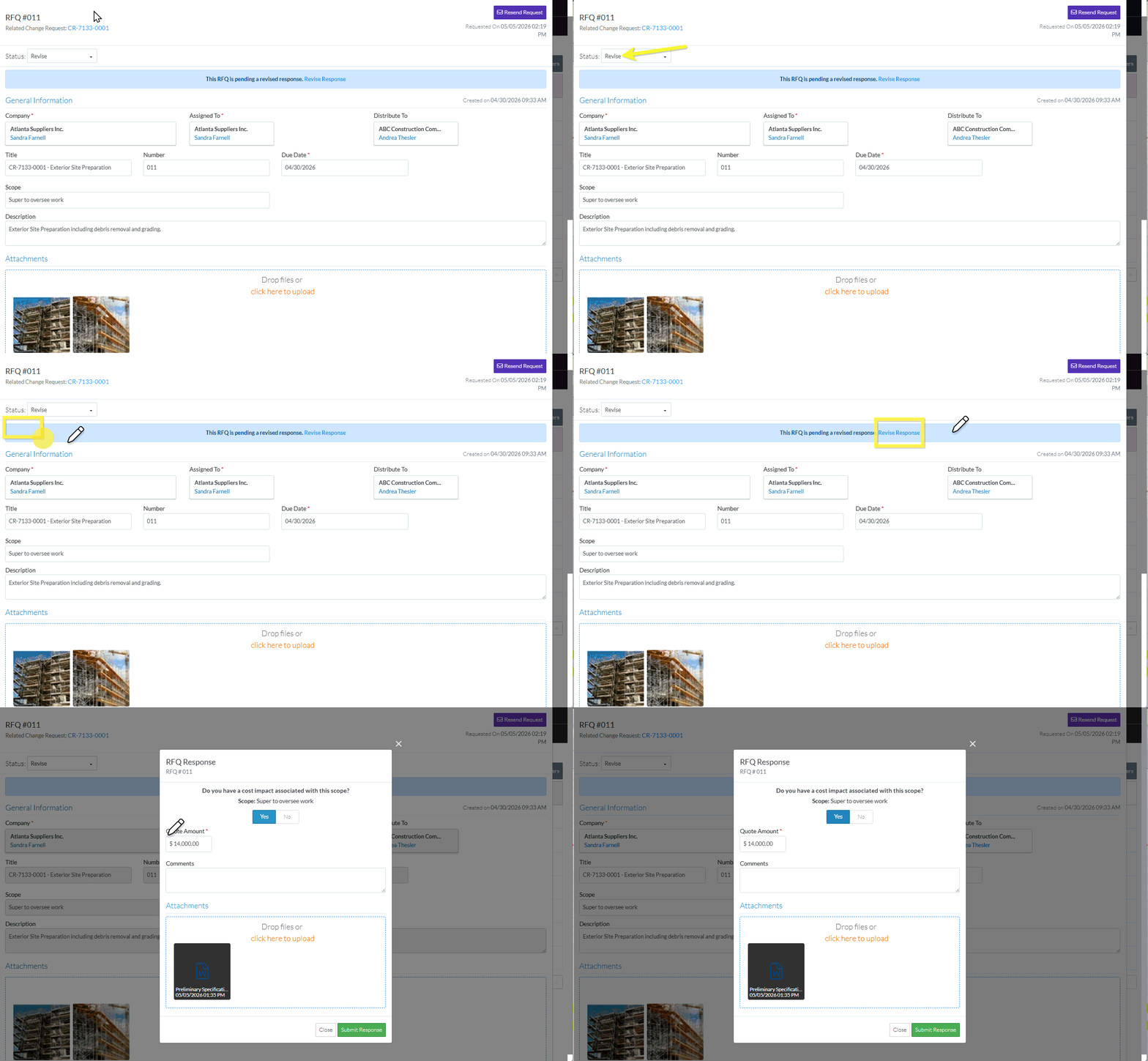
- Scroll to the Response section
- Click the Revise Response written in blue text.
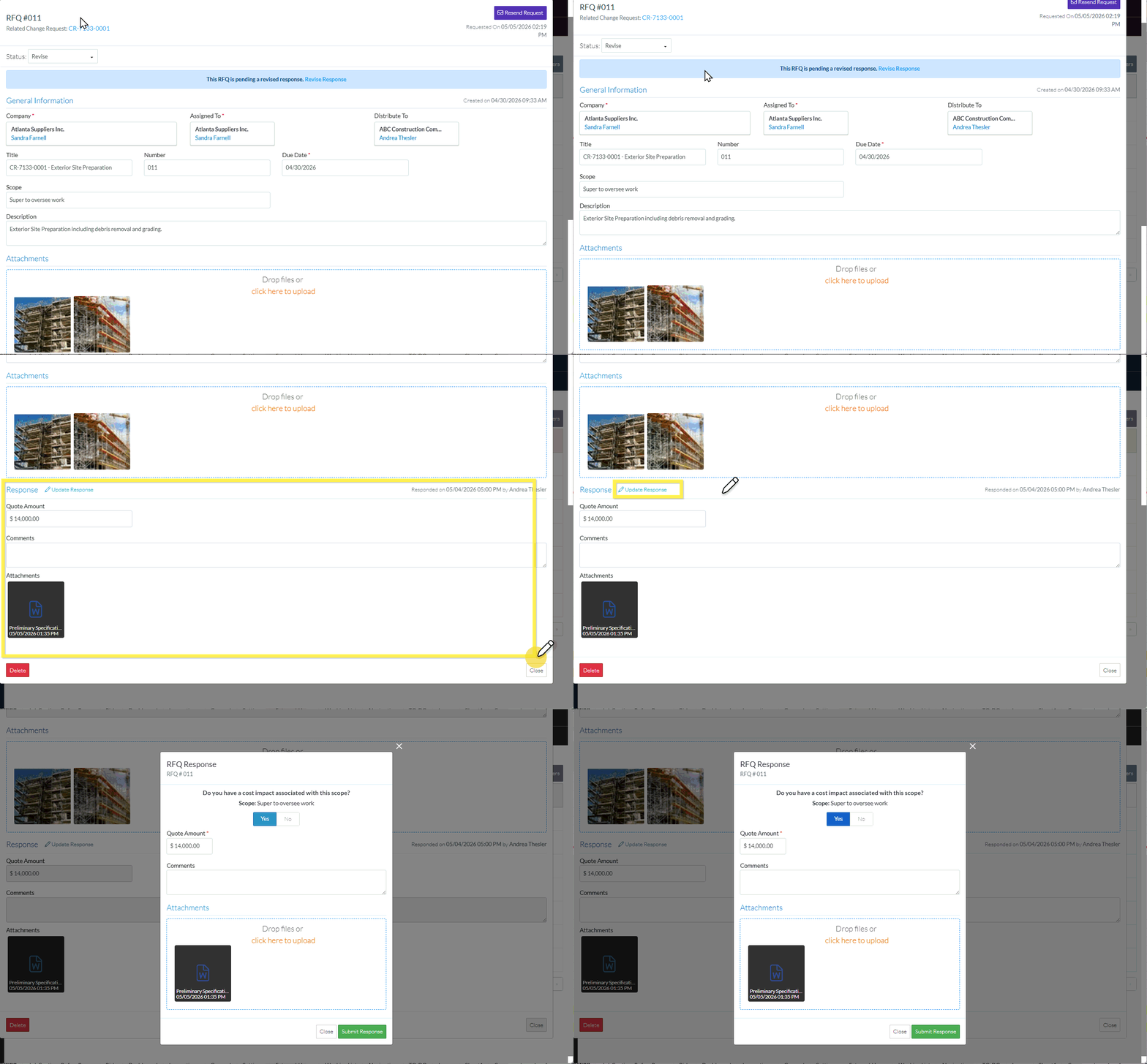
- The RFQ Response form displays. It displays differently depending on whether or not a Cost was associated with the Change.
Click here for the display when there was a Cost Impact
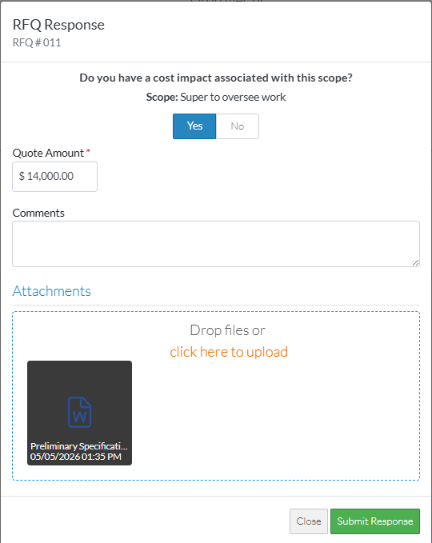
Click here for the display when there is no Cost Impact
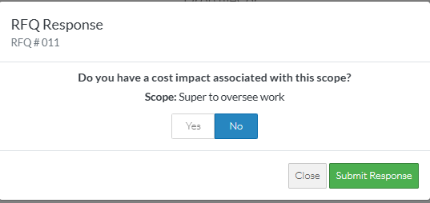
Next Steps
Enter/Update the RFQ Response, see RFQ Response - Update Response Entered.
