Contract Change Order - General - Attachments - View
 Updated
Suggested Prior Reading
Contract Change Order - Add/Edit/View - Attachments
View Files
On the Contracts Change Order General form, there are files can be uploaded for the Change Order.
The files can then be viewed.
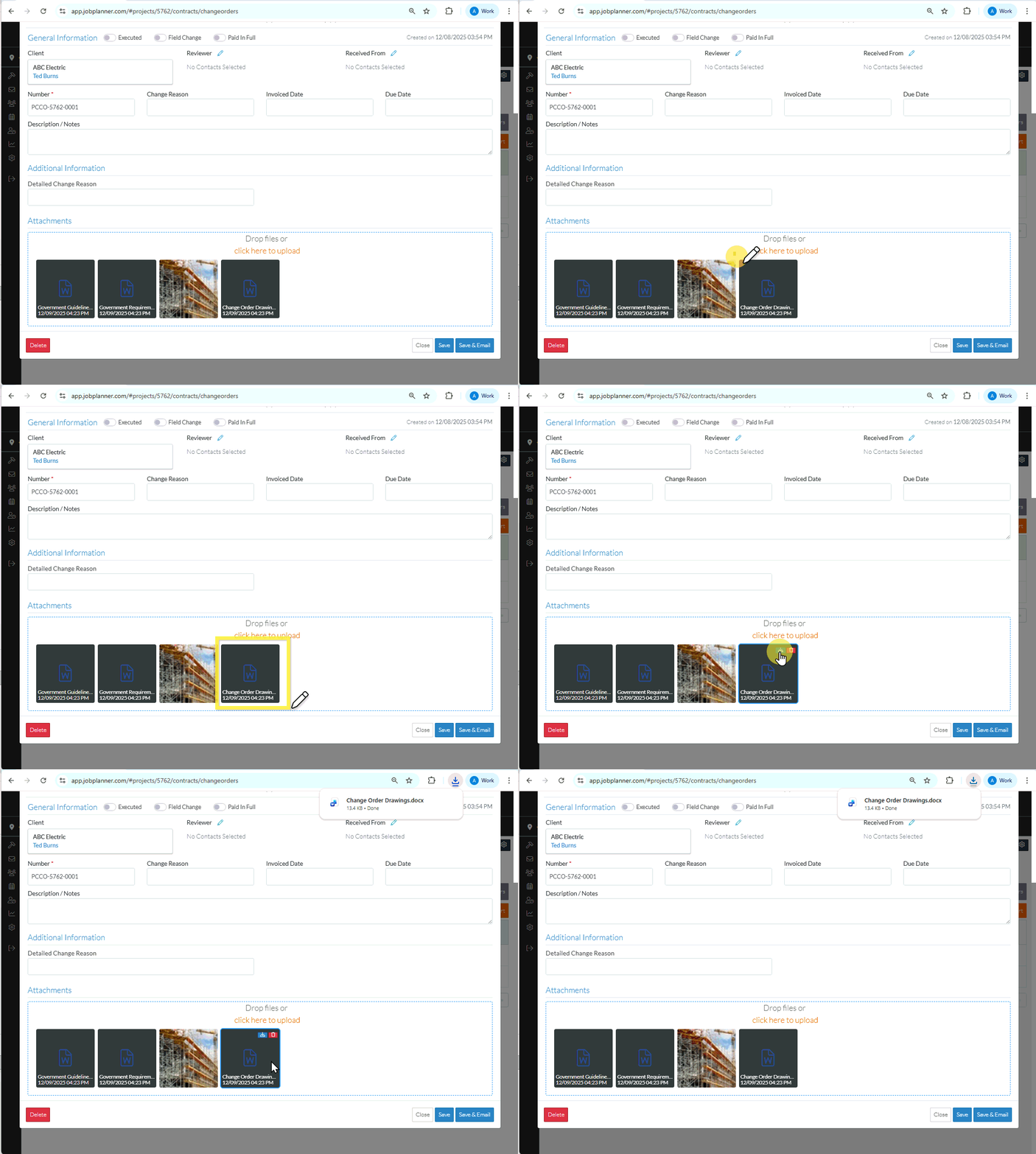
For some type of Files, the item can be clicked on to view it (for example some graphics that can be viewed in a web browser). For other types of Files such as word documents, PDFs or excel spreadsheets, they need to be downloaded and then viewed using their native application.
- Click on an item to view it (if it can be opened in a web browser)
OR
Hover on the item - Click on the download button. The file will be downloaded and if there are scanning tools installed, messages may appear from the scanning application. Use File Explorer to check the downloads folder for the document and to view it with its native application.
- View additional information on the Change Order, see More Information below.
OR
Click the Close button to close the form (without saving the information on any of the Components)/
The Contract List displays.
More Information
To change the status, see Contract Change Order - Add - Status OR Contract Change Orders - Edit - Status.
Create or manage Contract Change Order Schedule of Values, see Contract Change Order - Schedule of Values.
Create or manage Contract Change Order Financial Markups, see Contract Change Order - Financial Markups.
Delete a Contract Change Order, see Contract Change Order - Delete.
Next Steps
To view all functionality available from the Contracts List, see Contracts List - Overview
