Contracts List - Overview
 Updated
Suggested Prior Reading
Contracts List - Overview
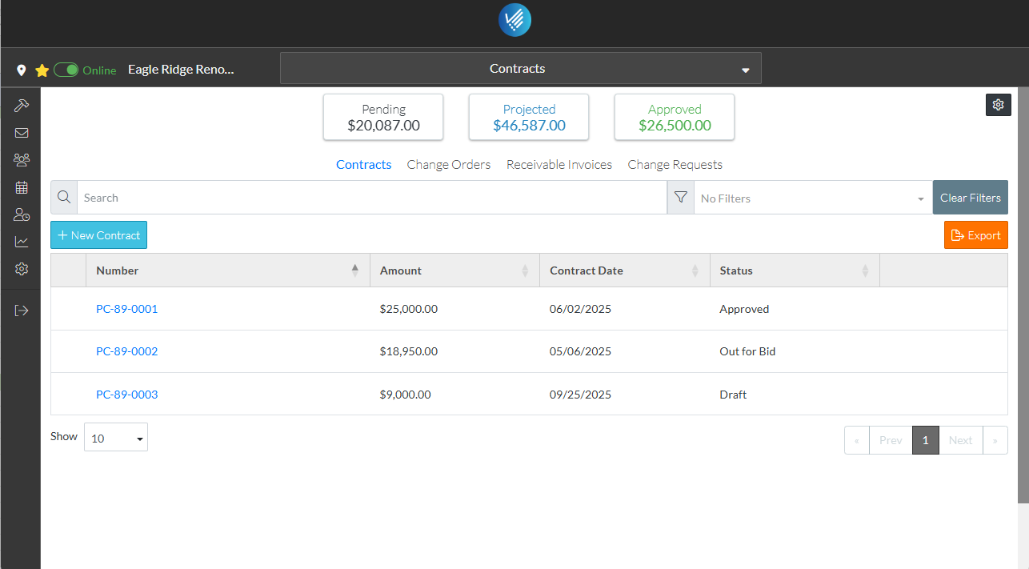
The Contracts List displays all the Contracts for a Project.
The Contracts List can be:
- Searched and/or filtered.
- Exported to Excel.
It is also where:
- Contracts can be added.
- Contracts can be viewed and edited or deleted.
From this list, other Project Contract information can be navigated to; for example to see:
- A list of all Change Orders for all Contracts
- A list of All Receivable Invoices for all Contracts
- A list of all Change Requests that pertain to this project.
The Contracts List Settings can be changed (to show what columns of information and how many rows display on the list and a default Status filter that is always applied when the list is displayed).
More Information
For more information on the Contracts List, see:
- Contracts List – Layout and Navigation
- Contracts List - Search and Filter
- Contracts List - Sort Columns
- Contracts List - Settings to modify Contract List Settings (including columns to display)
Next Steps
To add a New Contract, see New Contract.
To manage the status of a Contract, see Contracts - Edit - Status.
To view or edit an existing Contract (including setting up Schedule of Values, Financial Markups, creating and managing Change Orders or creating and managing Invoices and Payments), see Contracts - View/Edit.
To Export the list of Contracts, see Contracts List - Export.
To delete a Contract, see Contracts - Delete.
To create and manage Change Requests, see Contract Change Requests - Overview.
To view a list of all Change Orders for all Contracts on the Project, see Contracts - List of All Change Orders - Overview.
To view a list of all Invoices (Receivables) for all Contracts on the Project, see Contracts - List of All Receivable Invoices - Overview.
