RFQ - View/Edit - Manually Enter Response
 Updated
Suggested Prior Reading
Change Request Specific RFQs - View/Edit
OR
Change Requests - List of all RFQs - View/Edit
RFQ - View/Edit - Pricing Status
Manually update the quote Submitted by Subcontractor/Vendor
This is help for manually updating a Response to a quote. This could occur when entering the Response on behalf or a Subcontractor or Vendor (that was received by some other method).
This is help for entering the Response when it has not yet been entered. For help on updating a Response already entered, see RFQ - View/Edit - Update Response.
- View or Edit the RFQ, see the following for the appropriate list the view/edit is being invoked from:
Change Request Specific RFQs - View/Edit
OR
Change Requests - List of all RFQs - View/Edit
The RFQ - View/Edit form displays. The layout and navigation of the form will depend on the Status of the RFQ.The following example is for an RFQ in a Pricing Status but the steps will be the same for any Status.Click here for more information on the Layout and Navigation of the form for each Status
For RFQs in a Pricing status, see RFQ - View/Edit - Layout and Navigation - Pricing Status for more information.
For RFQs in a Reviewing Status, see RFQ - View/Edit - Layout and Navigation - Reviewing Status for more information.
For RFQs in a Revise Status, see RFQ - View/Edit - Layout and Navigation - Revise Status for more information.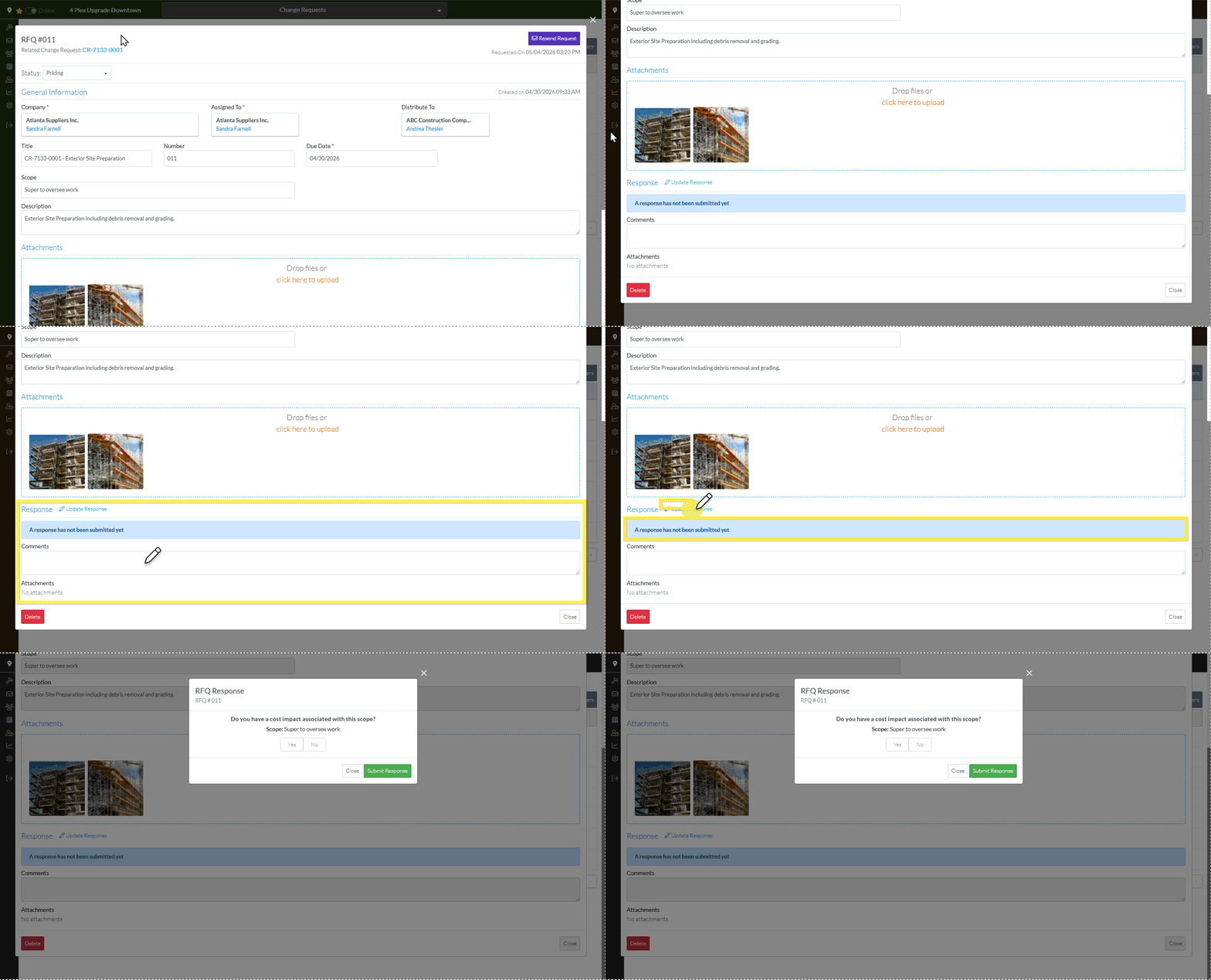
- Scroll to the Response section.
- Click the Update Response blue text.
The RFQ Response form displays.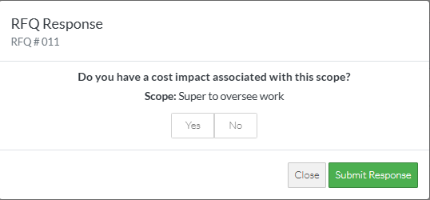
Next Steps
Enter/Update the RFQ Response, see RFQ Response - No Response Entered.
