RFQ - View/Edit - Reviewing Status
 Updated
Suggested Prior Reading
Viewing/Editing an existing RFP from the list of RFQs specific to a Change Request, see Change Request Specific RFQs - View/Edit.
OR
Viewing/Editing an existing RFP from the list of all RFQs for all Change Requests, see Change Requests - List of all RFQs - View/Edit.
OR
Setting the Status of the RFQ to Reviewing from another Status, see RFQ - View/Edit - Edit Status to Reviewing.
Editing an RFQ in the Reviewing Status
An RFQ in a Reviewing Status, is one that has had a Response from the Subcontractor/Vendor.
The Reviewing Status is tied to the Update Response functionality and will be updated automatically if a Response is entered by the Subcontractor/Vendor or if a Response is manually entered by the Project Manager/Estimator. It can also manually be set as well. (if the Status is manually set to Reviewing without entering a Response, there is no impact on the Response). (See RFQ - View/Edit - Receive Response from Subcontractor/Vendor OR RFQ - View/Edit - Manually Enter Response).
Once an RFQ is in a Reviewing Status:
- The Company/Contract (if entered) can not be changed. If the Company/Contact is not entered it can be added. All the other General Information can be changed.
- Attachments can be Viewed, Uploaded or Deleted.
- The Response can be viewed or updated.
- The RFQ can be deleted
To View/Edit the RFQ in a Reviewing Status
- If required, invoke the View/Edit of the RFQ:
See the following for the list the view/edit is being invoked from:
Change Request Specific RFQs - View/Edit
OR
Change Requests - List of all RFQs - View/Edit
The RFQ - View/Edit form displays. For more information on the layout of the RFQ - View/Edit form when the RFQ is in a Reviewing Status, see RFQ - View/Edit - Layout and Navigation - Reviewing Status.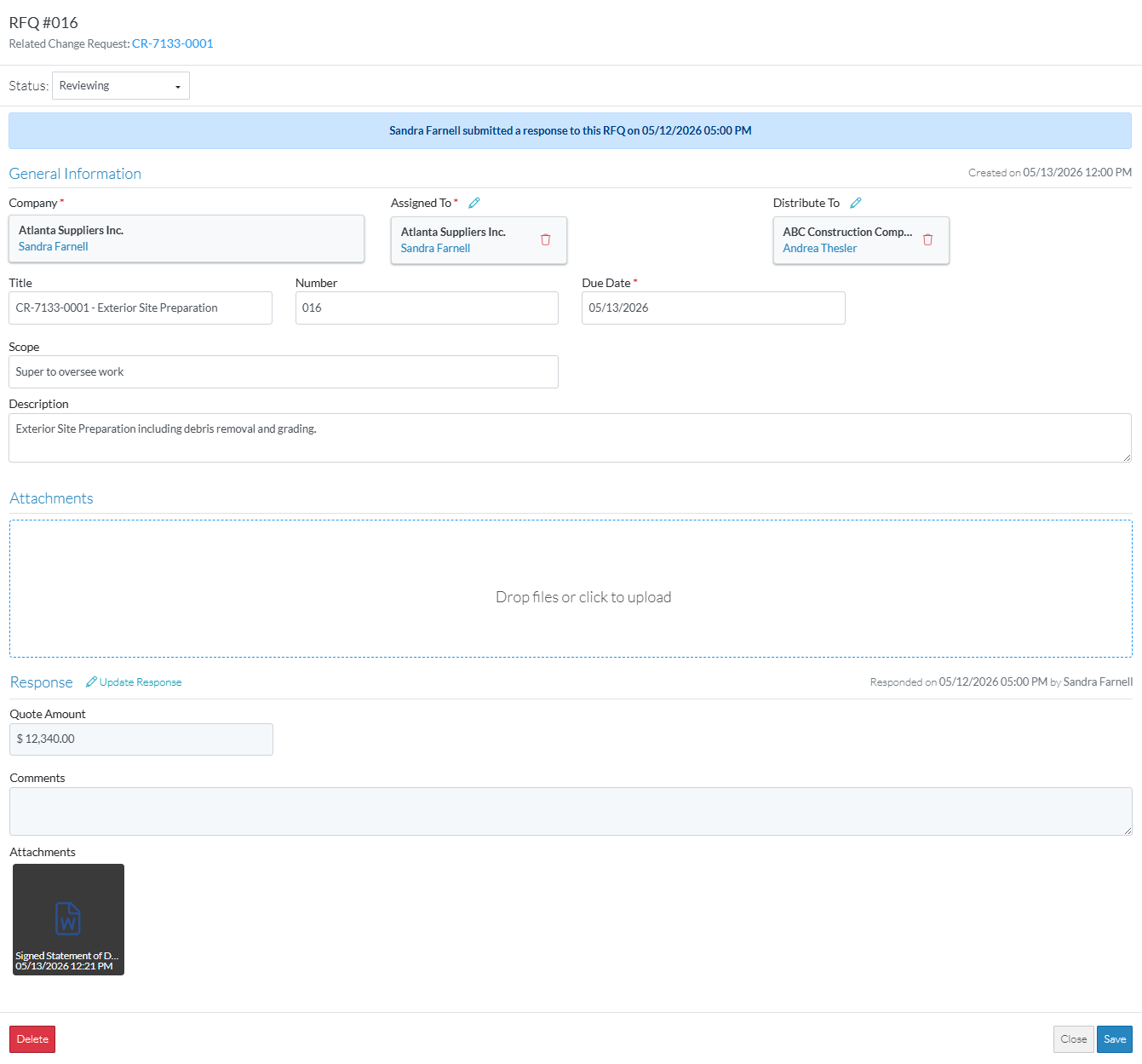
- View or Edit the General Information, see RFQ - View/Edit - General Information.
- View, Upload or Delete Attachments, see RFQ - View/Edit - Attachments.
- View the Response (if entered), see RFQ - View/Edit - Response for more information on how the Response displays.
- Manually update the RFQ response (if required), see RFQ - View/Edit - Update Response.
- Optionally, perform other functions, see More Information below.
- Click the Save
 button to save any changes and close the RFQ - View/Edit form. See Next Steps below.
OR
Click the Close button to close the RFQ - View/Edit form.
Click here for more information on the Close function.
If no information was changed or entered, the list the function was invoked from displays, see Next Steps below.
If information was changed, then an additional prompt displays indicating there were changes and there are additional prompts on what to do.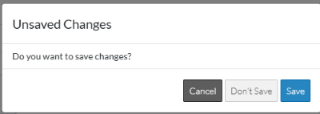
Click the Cancel button to cancel the Close action and return to the RFQ - View/Edit form (see the steps above)
OR
Click the Don't Save button to cancel changes to the RFQ. The list the was invoked from displays, see Next Steps below.
OR
Click the Save button to save the RFQ. The list the function was invoked from displays, see Next Steps below.
More Information
Manually set the Status of the RFQ to another Status
Set the Status to Draft, see RFQ - View/Edit - Edit Status to Draft (if available)
Set the Status to Pricing, see RFQ - View/Edit - Edit Status to Pricing
Set the Status to Revise, see RFQ - View/Edit - Edit Status to Revise (if available)
Set the Status to Approved, see RFQ - View/Edit - Edit Status to Approved (if available)
Set the Status to Closed, see RFQ - View/Edit - Edit Status to Closed
Delete the RFQ, see RFQ - Delete.
Next Steps
The list the View/Edit was invoked from displays.
- If it was invoked from the Change Request - View/Edit form via the RFQs component, see Change Request Specific RFQs - Overview.
- If it was invoked from the Change Requests on the Project Navigation Menu and via the RFQs in the Lists Navigation Menu, see Change Requests - List of all RFQs - Overview.
