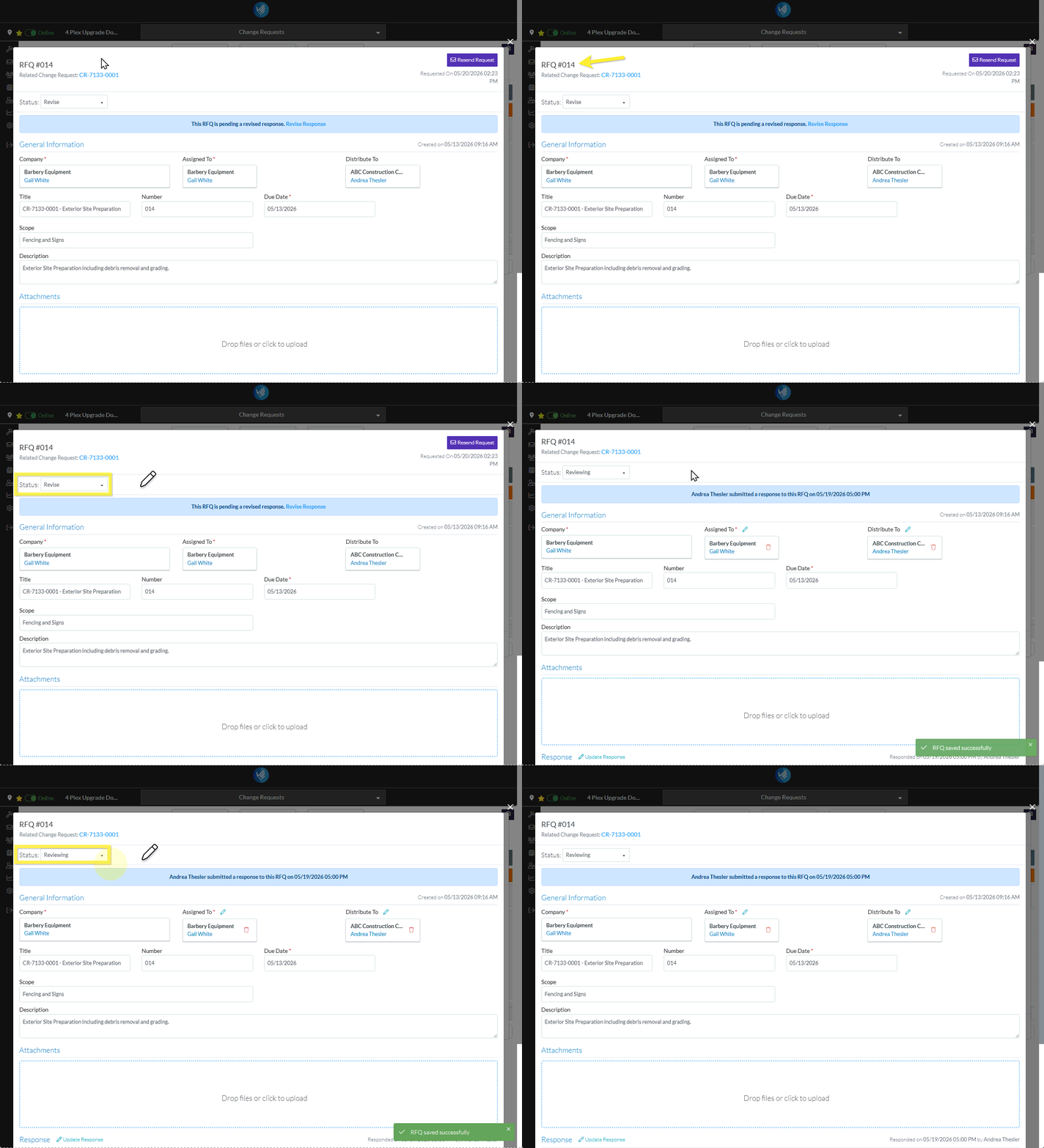
Initiate the edit of the RFQ. It can be invoked from the List of RFQs for a specific Change Request, see Change Request Specific RFQs - View/Edit OR List of RFQs for all Change Requests, see Change Requests - List of all RFQs - View/Edit The RFQ - View/Edit form displays. The layout and navigation of this form depends on what the current status of the RFQ is.Click here for more information on the Layout and Navigation of the form for each Status
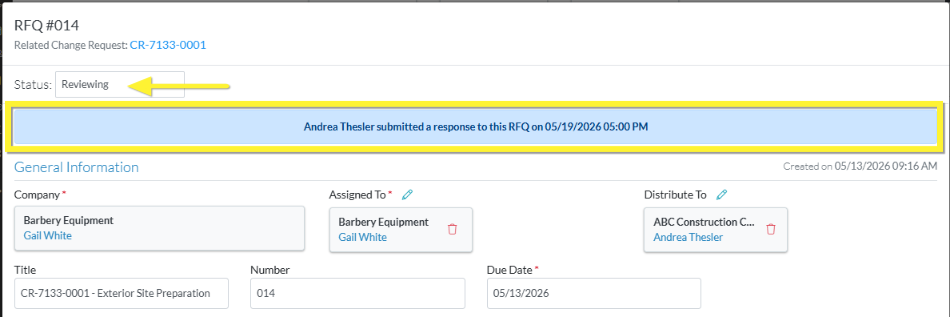
Select the Reviewing Status. Note* The following shows changing the Status from Revise to Reviewing but the steps are the same for whatever Status the RFQ is currently in. As soon as the Status is changed, the form is saved with the Reviewing Status and the Layout and Navigation of the form changes to the Reviewing Layout. See RFQ - View/Edit - Layout and Navigation - Reviewing Status.If a Company/Contact had submitted a Response previously (whether they entered it themselves or it was entered by the Project Manager/Estimator on their behalf), that information is still retained and will display once the Status is changed to Reviewing.
 Updated