All Change Request Lists - Bulk Actions - Send RFQs - Attachments
 Updated
Suggested Prior Reading
All Change Request Lists - Bulk Actions - Create and Send RFQs
All Change Request Lists - Bulk Actions - Send RFQs - General Information
Send RFQs - Attachments
Attachments are general types of file to be included with the RFQ such as specifications, blue prints, drawings or other documents.
Any type of file can be uploaded in the Attachments section. It can also be viewed or removed.
Attachments can be viewed by the Vendor or Subcontractor on the submit Quote form the Vendor or Subcontractor uses to respond to the request.
To add or delete Attachments
- Navigate to the Attachments section on the Send RFQ form (see Change Request - Schedule of Values - Bulk Actions - Create and Send RFQs).
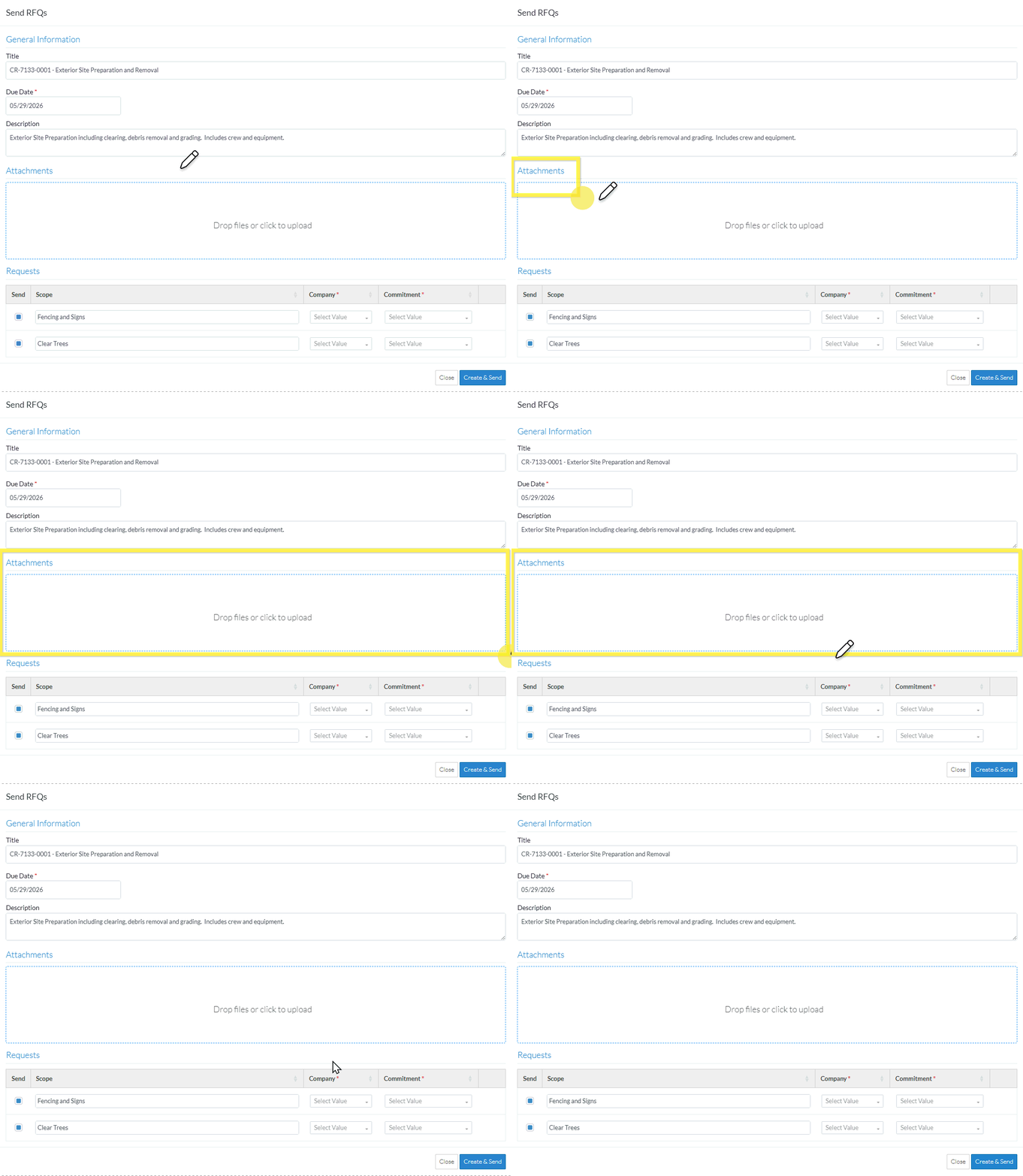
Depending on whether files have already been uploaded or not or the upload function was previously clicked, the box may appear slightly differently.
The following is how the box appears if no documents have been uploaded and the function has not yet been clicked:

The following is how the box appears if a document has been uploaded or the function previously clicked:

- To maintain Attachments:
- To upload Attachments, see Send RFQ - Attachments - Upload.
- To delete Attachments, see Send RFQ - Attachments - Delete.
To maintain other RFQ Information
- If required, add or change information General Information, see All Change Requests Lists - Bulk Actions - Send RFQs - General Information.
- If required, upload or delete Attachments to be included with the RFQ, see All Change Requests Lists - Bulk Actions - Send RFQs - Attachments.
- If required, maintain Requests:
- To select or unselect Requests to send, see All Change Requests Lists - Bulk Actions - Send RFQs - Requests - Turn on/Off Send.
- To edit the information for a Request, see All Change Requests Lists - Bulk Actions - Send RFQs - Requests - Edit.
- To delete a Request from the list see All Change Requests Lists - Bulk Actions - Send RFQs - Requests - Delete.
To Create and Send the RFQs
- To create all the Requests with the Send box filled, and to send each to the Contact for the Company if one is entered, click the Create & Send
 button.The list the function was invoked from is displayed, see Next Steps below.
Click here for more information on the Create and Send function
A separate RFQ will be created for each Line Item in the Requests section.
The RFQ information is set as follows:
If a Company or Commitment was entered, that will be set to the Vendor/Subcontractor Company for the RFQ.
If a Company or Commitment was entered, that will also be set as the Assigned To for the RFQ.
The Distribute To will be set to the Project Manager or Estimator who created the RFQ.
The Title is set to the Title.
The Number will be automatically generated.
The rest of the General Information Title, Due Date and Description will be automatically populated into all RFQs and be the same for all RFQs created.
The Scope is set to the Scope for that Line Item.
Any Attachments entered will be copied to all RFQs created.
If the Send option is filled in blue and a Company/Contact is entered, the Request for Quote will be automatically sent to the Company/Contact.
OR
Click the Close button to cancel creation of the RFQs.
Click here for more details on the Close function.
If the Close button is invoked, a message displays with a prompt to ensure that the creation of the RFQ(s) should be cancelled.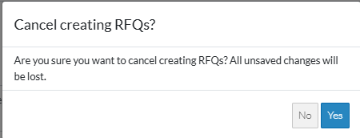
If No is clicked, the Send RFQ form displays. See the steps above for maintaining the Requests.
If Yes is clicked, the creation of the RFQs is cancelled. See Next Steps below.
Next Steps
- If the function was invoked from the Change Requests List:
- See Change Requests List - Overview (Grouped List View) for information about the list.
- To view/edit the RFQ, see Change Requests - List of all RFQs - View/Edit.
- If the function was invoked from the Contract - List of All Change Requests:
- See Contracts - List of all Change Requests - Overview (Grouped List View) for information about the list.
- To view/edit the RFQ, see Change Request Specific RFQs - View/Edit.
- To view/edit the Response received from the Subcontractor/Vendor, see RFQ - View/Edit - Receive Response from Subcontractor/Vendor
- To manually update the Response, see RFQ - View/Edit - Update Response.
