Contract Change Order - Add/Edit/View - Additional Information
 Updated
Suggested Prior Reading
Contract Change Order - General
Additional Information
The Contract Change Order General form is split into various sections.
The System Administrator can setup custom fields for Contracts Change Order, see Settings - Contracts - Change Order Core Field Settings.
This help pertains to the fields available for the Additional Information section on the Contract General form. This section only appears if custom fields for the Contract have been created. See Contract Change Order - General for more information.
For New Contracts or existing Contracts, all the information on the the Additional Information can be added or edited regardless of the Status. See Contracts Change Order - Status for more details.
To add or edit Contract Change Order Additional Information:
- From the New Contracts or Contracts - View/Edit form, add or change the Additional Information.
The information that can be entered will depend on the Field Type set for the custom field. Field Types can be
- Integer
- Percent
- Money
- Text (single line)
- Text Area (multiple lines)
- Boolean (yes/no)
- Choice
- Date
- Date and Time
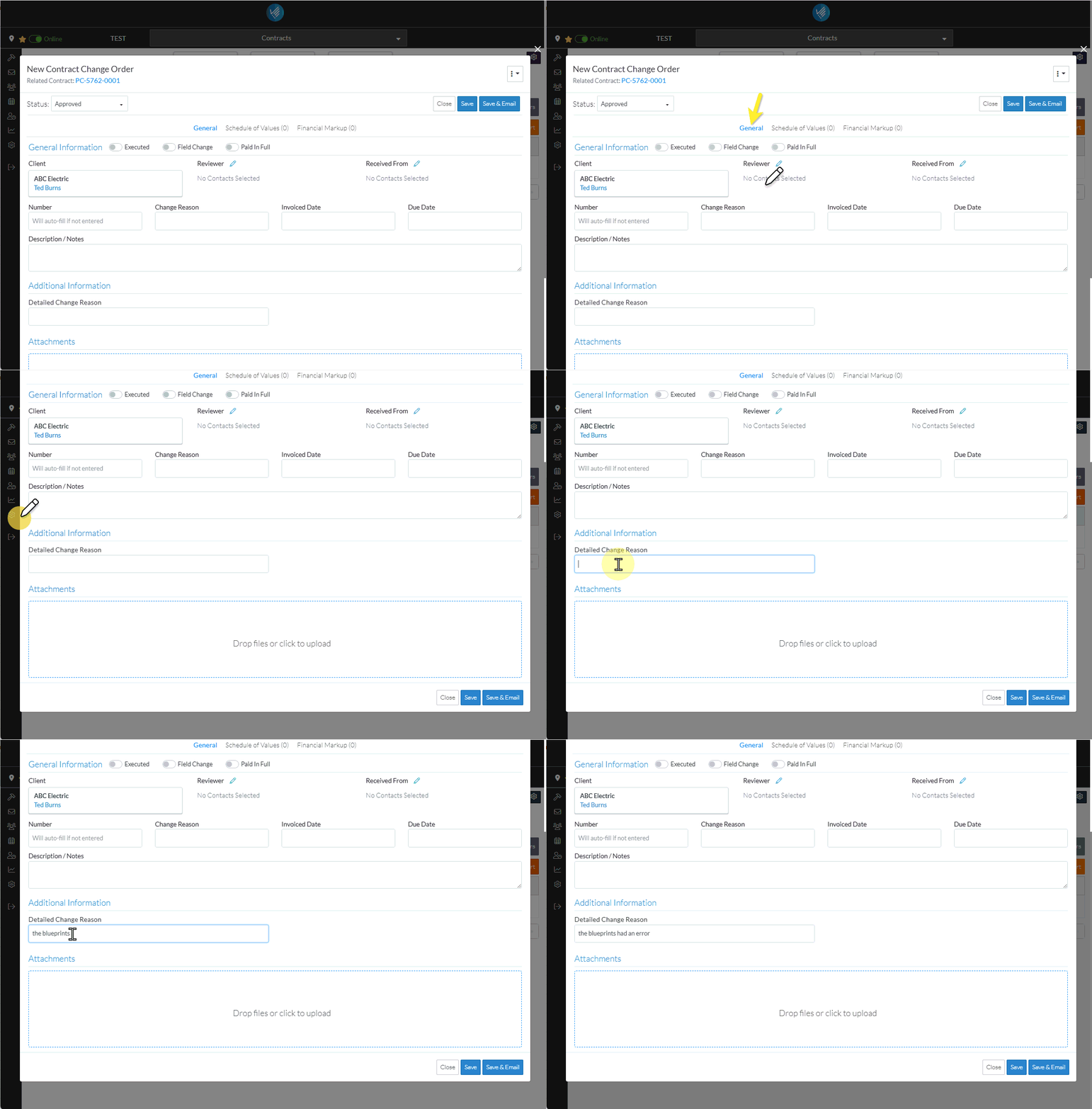
- To enter or change the General Information, see Contract Change Order - Add/Edit/View - General Information.
- To upload attachments, see Contract Change Order - Add/Edit/View - Attachments.
- Add, Edit or View additional information on the Change Order, see More Information below.
OR
Click the Save button to save all the information on the General, Schedule of Values and Financial Markup components for the Contract Change Order.
OR
Click the Save & Email button to save all the information on the General, Schedule of Values and Financial Markup components for the Contract Change Order and send an email with a link to the Contract Change Order in JobPlanner. The Contract Change Order is also added as an attachment in PDF format.
OR
Click the Close button to close the form without saving the information on any of the Components.
Depending on where the function was invoked from, that list will be displayed. See the appropriate help:
Contracts - List of All Change Orders - Overview
Contract Specific Change Orders List - Overview
Change Requests List - Overview (Grouped List View)
Change Requests List - Overview (Simple List View)
More Information
To change the status, see Contract Change Order - Add - Status OR Contract Change Orders - Edit - Status.
Create or manage Contract Change Order Schedule of Values, see Contract Change Order - Schedule of Values.
Create or manage Contract Change Order Financial Markups, see Contract Change Order - Financial Markups.
Delete a Contract Change Order, see Contract Change Order - Delete.
Next Steps
To view all functionality available from the Contracts List, see Contracts List - Overview
